Why Laundromats Need Native iOS Apps to Compete
Native iOS apps are the most direct path laundromat owners have to cutting daily admin time, eliminating lost-garment disputes, and keeping operations running even when the internet goes down. Understanding why laundromats need native iOS apps means understanding the gap between what a browser-based system can do and what a purpose-built, device-native platform actually delivers. That gap is wider than most operators expect. Kansoflow was built specifically to close it, running entirely on standard iOS hardware to give independent and multi-location laundromats the kind of speed and reliability that paper tickets and web dashboards simply cannot match.
Why laundromats need native iOS apps for operational efficiency
The single biggest operational win from a native iOS app is time. Transitioning from browser-based workflows to mobile-native tools reduces daily administrative time by over 60% for multi-location operators. That means a shop owner managing three locations can get through daily admin in under 20 minutes instead of spending the first two hours of every shift reconciling paper logs and chasing down order status.
Native apps achieve this because they execute transactions locally on the device. There is no cloud roundtrip for every tap. When a customer drops off a bag, the order is logged instantly, the weight is captured from a Bluetooth scale, and a tag prints from a Star Micronics receipt printer without the app waiting on a server response. That zero-latency hardware access is something cross-platform and browser-based tools cannot replicate reliably.
Offline functionality is the other side of this coin. A native iOS app keeps accepting orders, scanning garments, and printing receipts even when your Wi-Fi goes down. Offline execution prevents sales losses during network outages, a critical advantage over any browser-dependent system that simply stops working when connectivity drops. For a busy Saturday morning, that difference is the difference between serving customers and turning them away.
Key operational benefits native iOS apps deliver:
- Real-time order tracking across Wash, Fold, Dry Cleaning, and Ready stages without page refreshes
- Bluetooth scale integration for instant weight capture at drop-off
- Label and receipt printing via Star Micronics with no driver configuration
- Offline order intake that syncs automatically when connectivity returns
- Guided workflow steps that prevent attendants from skipping required actions
Pro Tip: Set up your iOS device in Guided Access mode during peak hours. It locks attendants into the app and prevents accidental navigation away from the order intake screen, which cuts counter errors significantly.
How do native iOS apps compare to web or hybrid apps?
Performance data from 2026 puts the difference in concrete numbers. Native apps show cold start times of 0.6–1.2 seconds compared to 1.5–2.0 seconds for hybrid apps. That gap sounds small until you multiply it across 80 customer interactions on a busy Saturday.
The deeper issue is cognitive load on your staff. Native iOS apps use platform-specific UI patterns: haptic feedback, predictable gesture handling, and animations that match what your attendants already know from using an iPhone. Muscle memory and intuitive controls improve order intake speed and accuracy in ways that a web app wrapped in a browser tab cannot. Web apps require staff to think about the interface. Native apps let them think about the customer.
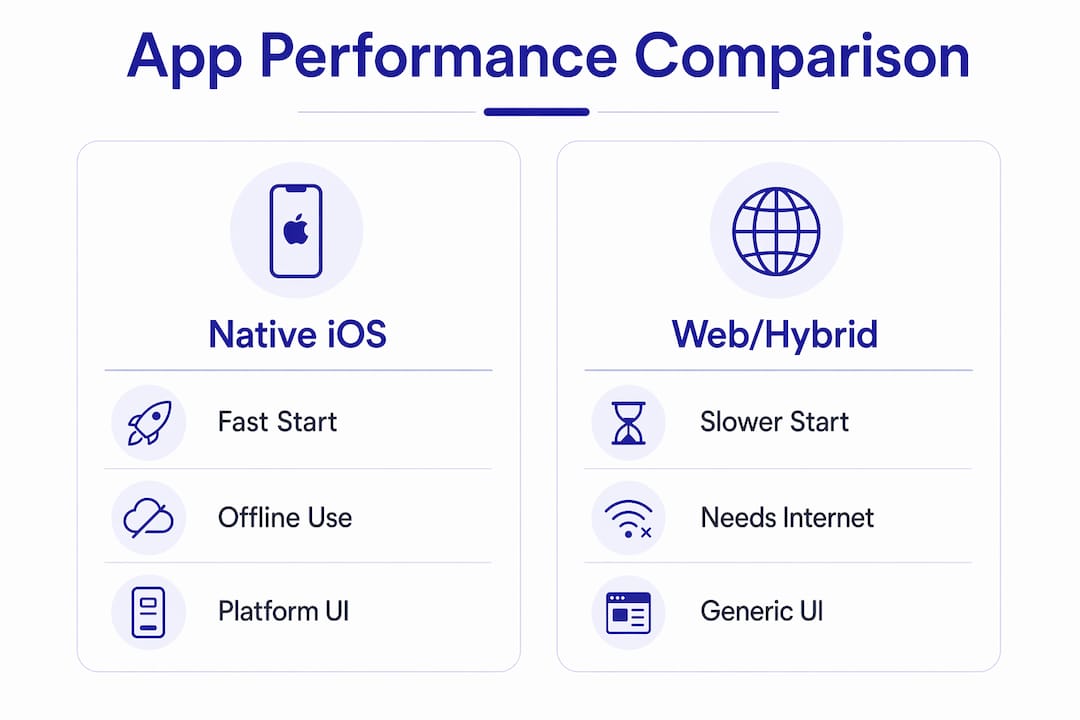
| Feature category | Native iOS app | Web or hybrid app |
|---|---|---|
| Cold start time | 0.6–1.2 seconds | 1.5–2.0 seconds |
| Offline order intake | Full functionality | Limited or none |
| Bluetooth hardware access | Direct, zero latency | Indirect, higher latency |
| UI consistency | iOS-native gestures and haptics | Browser-dependent rendering |
| Transaction execution | Local, on-device | Cloud roundtrip required |
Cross-platform frameworks have improved but still cannot match native iOS in specialized retail environments with complex hardware dependencies. The trade-off is real: native development costs more upfront. However, native maintenance costs are offset by lower error-related operational costs over time. Fewer sync errors, fewer lost orders, and fewer garment disputes add up to real savings.
Many operators mistake web-app speed for true operational speed. A browser-based dashboard may load quickly on a desktop, but it introduces context-switching friction that slows every single counter transaction. Native apps enable faster, context-switch-free workflows that directly increase employee throughput in high-volume laundromats.
What critical features should laundromat iOS apps include?
The architecture of a native iOS app enables features that are either impossible or unreliable in a web-based system. These are the features that matter most for laundromat operations.
-
Guided order intake workflows. The app enforces each step in sequence. An attendant cannot complete a drop-off without logging the weight, photographing the garments, and printing a tag. Automated guardrails eliminate lost-garment disputes that are common in manual systems. This is not just convenience. It is liability protection.
-
Garment photography and tagging. Instant photo capture at the counter creates a timestamped record of every item’s condition at drop-off. Customers cannot dispute damage that was already present. Kansoflow builds this directly into the intake flow so it takes seconds, not minutes.
-
PIN and biometric authentication. Device-level security features cut down manager re-authentication needs and let staff switch workstations in seconds. On a busy shop floor, a 30-second re-login process is a real bottleneck. Per-device PIN gating solves it without compromising security.
-
Push notifications for customer engagement. Native iOS apps send push notifications directly to customers’ phones when their order is ready. This reduces “is my laundry done?” calls and walk-ins, freeing your staff to focus on active orders.
-
Edge device hardware control. Direct Bluetooth communication with scales and printers is a native-only capability. The app talks to the hardware without a driver layer or browser permission prompt.
Pro Tip: Use garment photos as a customer service tool, not just a dispute tool. When a regular customer picks up their order, showing them the intake photo builds trust and signals professionalism that sets you apart from the shop down the street.
How can laundromats implement native iOS apps effectively?
Choosing between a custom-built app and an off-the-shelf platform is the first real decision. Custom development gives you exactly what you want, but it costs significantly more and takes months. Purpose-built platforms like Kansoflow deliver laundromat-specific workflows on day one, running on standard iPad or iPhone hardware you may already own.
Implementation works best when you treat it as a workflow redesign, not just a software install. Map your current order intake process before you go live. Identify where attendants currently write things down, where disputes happen, and where orders get lost. The app should replace each of those friction points with a guided digital step.
Practical steps for a successful rollout:
- Run a parallel period for one week where staff use both the app and your existing system. This catches gaps before you go fully digital.
- Train on the hardware first. Pair the Bluetooth scale and printer before your first live shift. Hardware pairing issues on a busy morning create unnecessary stress.
- Set up reporting dashboards from day one. Kansoflow’s real-time workflow management gives owners visibility into order volume, turnaround times, and revenue by location without pulling manual reports.
- Collect staff feedback in the first 30 days. Attendants will find workflow steps that need adjustment. Act on that feedback quickly to build buy-in.
- Plan for iOS updates. Native apps require periodic updates when Apple releases new iOS versions. A purpose-built platform handles this for you. A custom app requires your developer to stay current.
The future for retail operations like laundromats points toward native-hybrid architectures that combine local device execution with cloud governance. This means your transactions are fast and resilient at the counter, while your owner-level reporting and multi-location data stay synchronized in the cloud. That combination is where the industry is heading.
Key Takeaways
Native iOS apps give laundromats a measurable operational advantage over browser-based and hybrid systems by executing transactions locally, integrating directly with hardware, and enforcing guided workflows that eliminate the most common sources of error and dispute.
| Point | Details |
|---|---|
| Admin time reduction | Native apps cut daily admin time by over 60%, often to under 20 minutes across multiple locations. |
| Offline reliability | Full order intake, garment scanning, and receipt printing continue during internet outages. |
| Hardware integration | Direct Bluetooth access to scales and printers delivers zero-latency performance web apps cannot match. |
| Guided workflows | Enforced step-by-step intake eliminates lost-garment disputes and manual errors at the counter. |
| Staff efficiency | Native iOS UI patterns reduce cognitive load and speed up order processing in high-volume environments. |
The uncomfortable truth about “good enough” software
I have talked to enough laundromat operators to know that most of them are running on systems they chose because the system was already there, not because it was the right fit. A browser-based dashboard felt like progress compared to paper tickets. It was. But “better than paper” is not the same as “built for this.”
The operators who push back on native iOS apps usually cite cost. That is a fair concern. But the math changes when you count what the current system actually costs: the hours spent reconciling orders, the refunds paid out on disputed garments, the customers who left because their order was lost or delayed. Those costs are invisible because they never show up on a single line item.
What I find most interesting is that the resistance rarely comes from the attendants. Staff adapt quickly to native apps because the interface feels like the phone they already use every day. The resistance comes from owners who are used to managing by walking around and checking screens. A native app does not just speed up transactions. It changes how you manage. You stop reacting to problems at the counter and start reading reports that tell you where the next problem is coming from.
The laundromats that will compete well over the next five years are the ones building mobile-native workflows now. Not because it is a trend, but because the operational gap between a native app and a browser-based system compounds every single day.
— Artur
Kansoflow: built for the laundromat counter
Kansoflow is a native iOS POS and operations platform built specifically for independent and multi-location laundromat owners. It runs on standard iPad and iPhone hardware, pairs directly with Bluetooth scales and Star Micronics printers, and keeps your counter running even when your internet goes down.
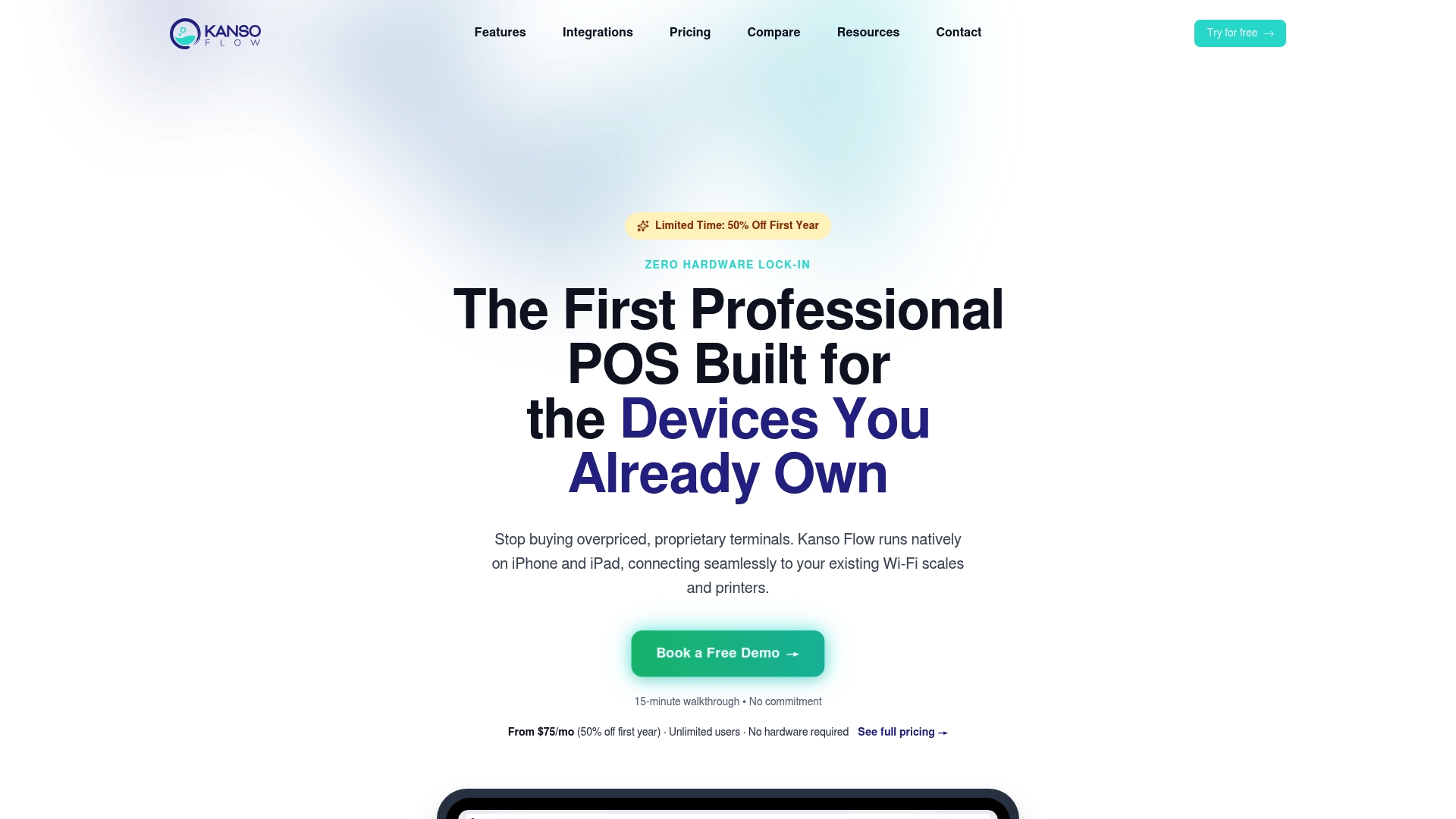
Every feature in Kansoflow maps to a real operational problem: photo intake eliminates garment disputes, visual Kanban boards replace paper ticket piles, and per-device PIN security lets staff switch workstations in seconds. Owners get real-time reports across all locations without pulling manual data. See the full iOS laundry POS features or visit Kansoflow to learn how the platform fits your shop.
FAQ
Why do laundromats need native iOS apps specifically?
Native iOS apps execute transactions locally on the device, which means faster counter performance, reliable offline operation, and direct hardware integration with scales and printers. Browser-based and hybrid apps cannot match this reliability in high-volume laundromat environments.
What is the difference between a native iOS app and a web app for laundromats?
A native iOS app runs directly on the device and accesses hardware like Bluetooth scales and printers with zero latency. A web app runs in a browser, requires a constant internet connection for full functionality, and cannot access device hardware as directly.
How much time can a native iOS app save a laundromat operator?
Transitioning from manual or browser-based workflows to a native mobile app reduces daily administrative time by over 60%, with multi-location operators often completing daily admin in under 20 minutes.
Can a native iOS laundromat app work without internet?
Native iOS apps maintain full offline functionality, including order intake, garment scanning, and receipt printing, and sync data automatically when connectivity is restored.
What hardware does a native iOS laundromat app need?
A native iOS laundromat app like Kansoflow runs on standard iPad or iPhone hardware and pairs via Bluetooth with scales and Star Micronics receipt and tag printers, with no proprietary hardware bundles required.