Mobile POS for Dry Cleaning Counters: 2026 Guide

A mobile point-of-sale (mPOS) system for a dry cleaning counter is a portable, wireless payment and order management tool that runs on a smartphone or tablet. Instead of anchoring your staff behind a fixed register, it lets them process payments, pull up garment histories, and update order statuses from anywhere in the shop. The hardware is minimal: a mobile device, a Bluetooth or NFC card reader, and a software app that connects to the cloud. Salesforce defines an mPOS as a portable device or application that lets businesses process transactions and manage sales directly from a smartphone or tablet, offering flexibility that stationary cash registers simply cannot match.
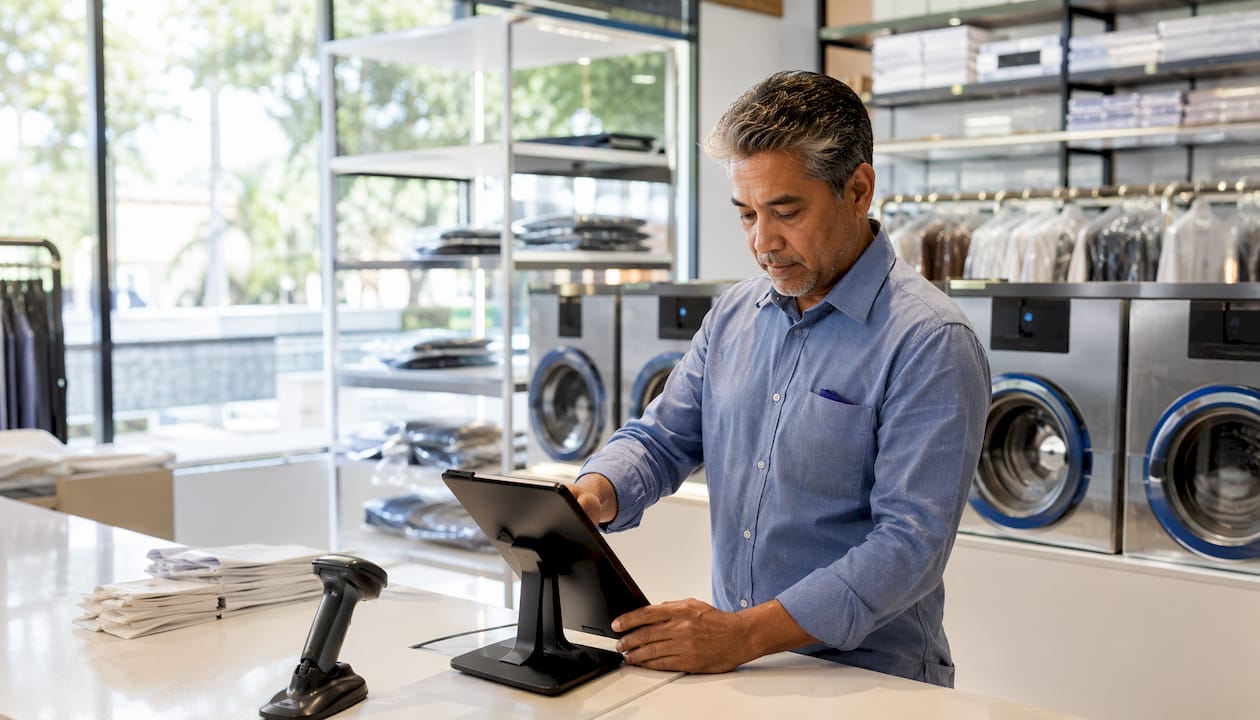
For dry cleaners specifically, that flexibility matters more than it does in most retail settings. You are managing garments across multiple stages, tracking customer preferences, and handling pickups that do not always happen at the same moment as drop-off. A mobile POS system turns your counter from a bottleneck into a service hub.
At a glance, a dry cleaning mobile POS system handles:
- Payment processing (credit, debit, contactless, digital wallets)
- Order intake and garment tracking by ticket or barcode
- Customer profile management and preference history
- Real-time order status updates across workflow stages
- Digital receipt generation and signature capture
- Encrypted transaction data sent securely via the cloud
Kansoflow is one of the few platforms built specifically for this environment, combining iOS-native speed with dry cleaning workflow features that generic retail POS systems lack entirely.
Table of Contents
- What features should a mobile POS for dry cleaning counters have?
- Why mobile POS systems improve dry cleaning operations
- Mobile POS vs. fixed POS: which one fits your dry cleaning counter?
- How to choose the right mobile POS for your dry cleaning business
- How Kansoflow’s mobile POS works for dry cleaning counters
- Kansoflow is built for dry cleaners who are done with legacy systems
- Key Takeaways
What features should a mobile POS for dry cleaning counters have?
Not every mobile POS system is built for a dry cleaning shop, and the gap between a generic retail app and a purpose-built solution shows up fast once you are managing garments, not just products.
Core connectivity and payment features:
- Wi-Fi and cellular fallback so transactions do not stall during peak hours
- NFC and contactless payment support for tap-to-pay cards and digital wallets
- Barcode and QR code scanning for garment ticket lookup
- Integrated receipt printing via Bluetooth printers like Star Micronics models
Dry cleaning-specific capabilities are where the real differentiation lives. Generic retail POS apps track SKUs. A dry cleaning POS needs to track a specific garment belonging to a specific customer, log its condition at intake, and move it through defined workflow stages.
| Feature Category | Generic Retail POS | Dry Cleaning Mobile POS |
|---|---|---|
| Order tracking | Product SKU inventory | Per-garment ticket with customer link |
| Photo documentation | Rarely included | Photo intake at counter for claims |
| Workflow stages | Not applicable | Wash, Fold, Dry Clean, Ready |
| Inter-branch transfers | Not supported | Drop-off to processing hub routing |
| Customer profiles | Basic purchase history | Garment preferences, starch level, notes |
| Hardware pairing | Standard card reader | Scales, tag printers, card readers |
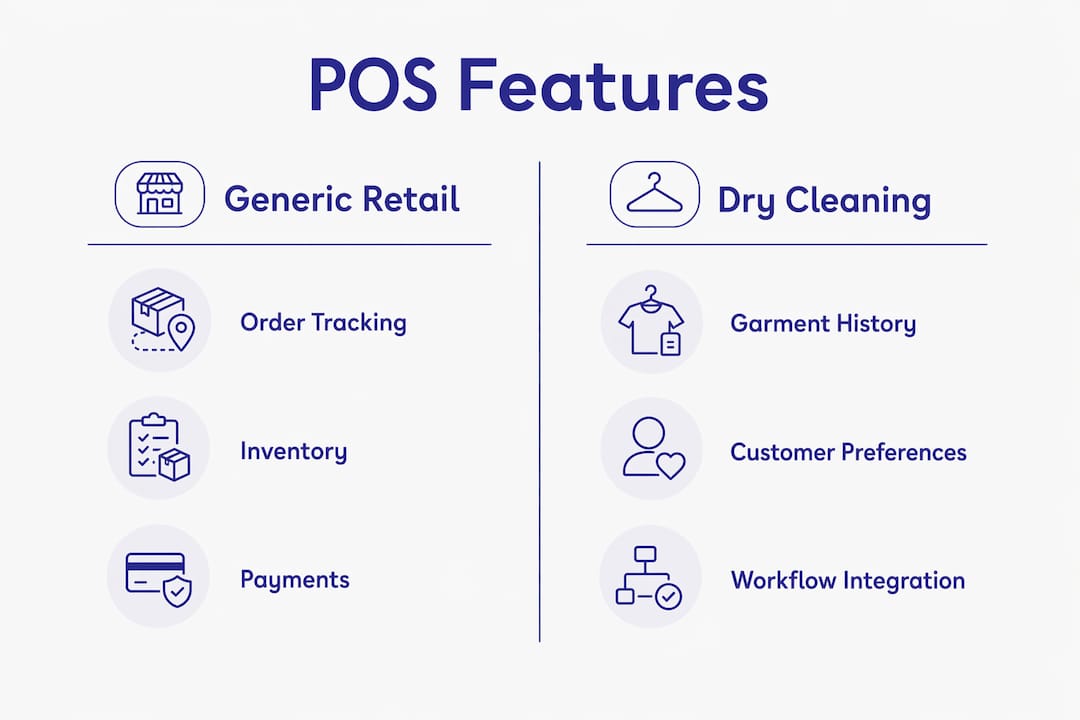
Mobile POS apps serve as operational hubs when they integrate customer preferences, garment history, and real-time workflow management into one system, replacing slower browser-based tools. That integration is what separates a useful dry cleaning POS from one that just takes payments.
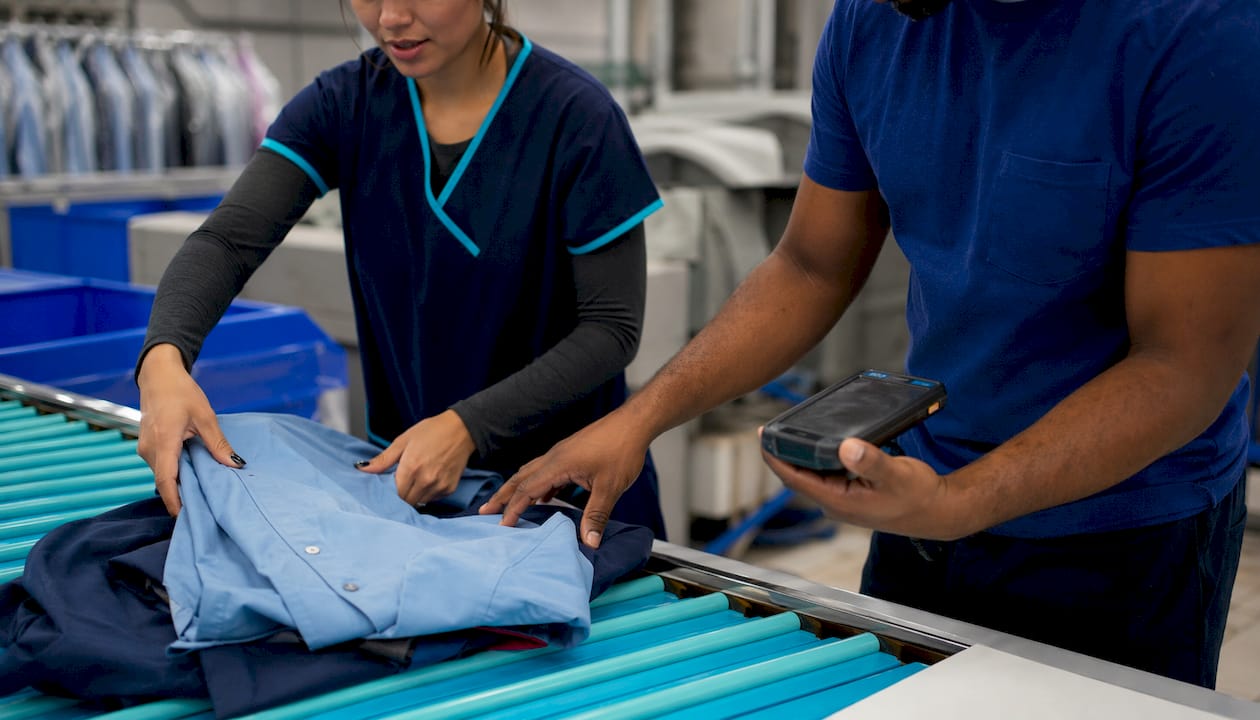
Hardware durability is another factor most buyers overlook until something breaks. Dry cleaning environments expose devices to humidity and steam. Purpose-built or ruggedized devices with sealed interfaces and drop protection hold up far better than standard consumer tablets in these conditions. If you are running a busy counter with steam presses nearby, that distinction matters in dollars and downtime.
Pro Tip: Before buying any mobile POS hardware, check whether the manufacturer rates the device for humidity exposure. A sealed port and reinforced casing can save you from replacing a $400 tablet every 18 months.
Why mobile POS systems improve dry cleaning operations
The operational gains from switching to a mobile POS system in a dry cleaning shop go well beyond accepting tap payments. The biggest shift is what happens to your counter workflow and your staff’s ability to serve customers without friction.
Mobile POS enhances customer experience by enabling staff to engage customers personally and conduct order management on the spot, turning the dry cleaning counter into an interactive service hub rather than a transaction point. That means an attendant can greet a customer at the door, pull up their garment history on a tablet, confirm their starch preference, and start the order before the customer even reaches the counter.
Key operational benefits:
- Line-busting during peak hours: A second staff member with a tablet can process pickups while the main counter handles new drop-offs, cutting wait times without adding a fixed terminal.
- Fewer lost-garment disputes: Photo intake at drop-off creates a timestamped record of each garment’s condition, giving you documentation when a customer claims damage.
- Real-time order visibility: Customers can get accurate status updates because staff can check the system from anywhere in the shop, not just from one fixed screen.
- Lower upfront hardware cost: Mobile POS terminals typically cost $150–$2,500 per unit, compared to $800 to over $5,000 for traditional fixed POS stations.
- Encrypted transactions: Payment data is encrypted and transmitted via the cloud to payment processors, reducing your exposure to card data breaches.
The cost difference between mobile and fixed POS hardware is significant. Mobile terminals generally start at a lower price point, whereas traditional fixed stations can be considerably more costly. For a small or mid-size dry cleaner, that gap funds other operational investments.
Accuracy improves too. When garment data, customer notes, and payment records all live in the same system, the chance of a ticket getting lost or a preference being forgotten drops sharply. Paper tickets and handwritten notes do not sync across your team. A mobile POS does.
Mobile POS vs. fixed POS: which one fits your dry cleaning counter?
The choice between mobile and fixed POS is not really about which technology is better. It is about which one matches how your shop actually runs.
The fundamental difference is physical: fixed POS systems are tethered with wired connections to a specific counter location, while mobile POS uses Wi-Fi or cellular networks and can operate anywhere in the facility. That sounds simple, but the downstream effects on your workflow are significant.
Mobile POS advantages for dry cleaners:
- Staff can move to the customer instead of waiting behind a counter
- Works for curbside pickup, delivery handoffs, and multi-location operations
- Lower hardware cost and faster setup
- Easier to add a second device during busy periods without rewiring anything
- Software updates happen automatically, no IT visit required
Fixed POS advantages for dry cleaners:
- Handles high-volume transaction processing without connectivity dependency
- Supports a wider range of peripherals (cash drawers, heavy-duty scanners, large receipt printers)
- More stable for complex, multi-step transactions that take time to complete
- Less risk of device being dropped, lost, or stolen on a busy floor
Where each type fits best:
| Scenario | Mobile POS | Fixed POS |
|---|---|---|
| Curbside pickup | ✓ Ideal | ✗ Not practical |
| High-volume counter checkout | Works, with caveats | ✓ More stable |
| Multi-location garment transfers | ✓ Built for it | ✗ Location-bound |
| Complex order entry with many add-ons | Manageable | ✓ Easier |
| Small shop, one or two staff | ✓ Cost-effective | May be overkill |
Many dry cleaners adopt a hybrid approach, using fixed systems for complex, high-volume tasks and mobile devices for quick pickups, curbside service, and line-busting during peak demand. That combination gives you the stability of a permanent station and the flexibility to serve customers wherever they are.
The hybrid model works especially well for shops with a steady morning rush. A fixed terminal handles the drop-off queue while a mobile device processes the pickup line simultaneously, without either station slowing the other down.
How to choose the right mobile POS for your dry cleaning business
Buying a mobile POS system is a bigger decision than it looks. The hardware is the easy part. The software, the integrations, and the vendor’s support structure are where most dry cleaners either get it right or spend the next two years working around limitations.
Start with these evaluation criteria:
- Dry cleaning workflow fit: Does the software support garment-level tracking, photo intake, and multi-stage order management? A generic retail POS that tracks inventory by SKU will not serve you well.
- Hardware compatibility: Check whether the system pairs natively with the printers and scales you already own or plan to buy. Replacing working hardware because a new POS does not support it adds unnecessary cost.
- Payment security: Look for PCI DSS compliance and end-to-end encryption. Every system that processes card payments should meet this standard.
- Integration with your existing tools: If you use separate software for route management, customer notifications, or accounting, confirm the POS can connect to those systems via API or native integration.
- Connectivity resilience: Test Wi-Fi coverage thoroughly before committing to hardware. Dead zones cause transaction syncing failures, and even systems with offline modes create a backlog that takes time to clear.
- Staff training requirements: A system that takes two weeks to learn will cost you in labor and errors during the transition. Prioritize interfaces that new attendants can navigate within a shift.
- Vendor support: Find out whether support is available during your operating hours, not just 9-to-5 on weekdays. A POS failure on a Saturday morning is not a Monday problem.
- Scalability: If you plan to open a second location or add a drop-off site, confirm the system supports multi-location management from day one, not as an expensive add-on later.
Common pitfalls to avoid:
- Choosing a system based on price alone, then discovering it lacks garment tracking
- Skipping the Wi-Fi audit and finding out about dead zones after installation
- Underestimating staff training time for a complex interface
- Locking into a long-term hardware lease for devices that may not survive a humid shop floor
Pro Tip: Ask any vendor for a 30-day trial or a live demo on your actual shop floor before signing anything. A system that looks clean in a sales presentation may feel clunky at counter speed during a morning rush.
How Kansoflow’s mobile POS works for dry cleaning counters
Kansoflow is a native iOS mobile POS platform built specifically for dry cleaners and laundromats. It is not a retail POS adapted for garment care. It was designed from the ground up for the operational reality of a busy dry cleaning counter, which means the features that matter most to you are not buried in a settings menu.
What sets Kansoflow apart for dry cleaning operations:
- Visual Kanban workflow board: Orders move through Wash, Fold, Dry Cleaning, and Ready stages on a drag-and-drop interface. Every attendant sees the same real-time picture of the shop floor without asking anyone.
- Photo intake at the counter: Staff photograph each garment at drop-off, creating a timestamped record that eliminates the “you damaged my coat” dispute before it starts.
- Inter-branch garment transfers: Drop-off locations can route garments to a central processing hub and track them through the return trip. This is built in, not bolted on.
- Native hardware pairing: Kansoflow pairs directly with Bluetooth scales and Star Micronics receipt and tag printers. You are not buying a proprietary hardware bundle to make it work.
- Stripe and Square payment integration: Both major payment processors are supported, so you are not locked into one payment ecosystem.
- Counter-speed PIN security: Staff can lock or switch user accounts in seconds on a shared device, which matters on a high-traffic floor where multiple attendants share a tablet.
- Park-and-resume transactions: Complex orders can be saved mid-entry and picked up again without losing data, a feature that generic retail POS systems rarely handle well.
The training curve is short by design. Kansoflow’s iOS-native interface follows the same interaction patterns your staff already use on their phones. New attendants typically get comfortable within a single shift rather than requiring days of formal training. For owners managing turnover, that speed matters.
Kansoflow also provides owners with real-time operational reports, so you can see order volume, revenue, and workflow bottlenecks from your phone without being physically present at the counter. That visibility is what makes scaling to a second location manageable rather than chaotic. Explore the full feature set for dry cleaners to see how each capability maps to your daily workflow.
Kansoflow is built for dry cleaners who are done with legacy systems
If your current setup involves paper tickets, a browser-based POS that loads slowly, or a system that was clearly designed for a clothing boutique rather than a garment care operation, Kansoflow is the direct alternative.
The platform runs on standard iOS devices you may already own, so you are not paying for proprietary hardware to get started. Photo intake, garment tracking, Kanban workflow management, and multi-location support are all included, not sold as add-ons. For independent dry cleaners and multi-location operators alike, Kansoflow replaces the fragmented stack of paper, spreadsheets, and slow browser tools with one fast, purpose-built system.
The practical next step is straightforward: visit kansoflow.com to see the platform in action and find out whether it fits your counter setup.
Key Takeaways
A mobile POS system built for dry cleaning counters combines payment processing, garment tracking, and workflow management into one portable tool, and the right platform cuts counter friction while giving owners real-time visibility across every order.
| Point | Details |
|---|---|
| Mobile POS definition | A portable, wireless system on a smartphone or tablet that processes payments and manages orders from anywhere in the shop. |
| Hardware cost advantage | Mobile POS terminals cost $150–$2,500 per unit versus $800 to over $5,000 for fixed POS stations. |
| Dry cleaning-specific features | Photo intake, garment-level tracking, inter-branch transfers, and Kanban workflow stages separate purpose-built systems from generic retail POS apps. |
| Hybrid approach works best | Most dry cleaners benefit from a fixed terminal for high-volume counter work combined with a mobile device for pickups and line-busting. |
| Kansoflow recommendation | Kansoflow’s native iOS platform includes photo intake, Kanban workflow, hardware pairing, and multi-location support built specifically for dry cleaning operations. |