Laundromat Tag Printer Label Workflow Guide
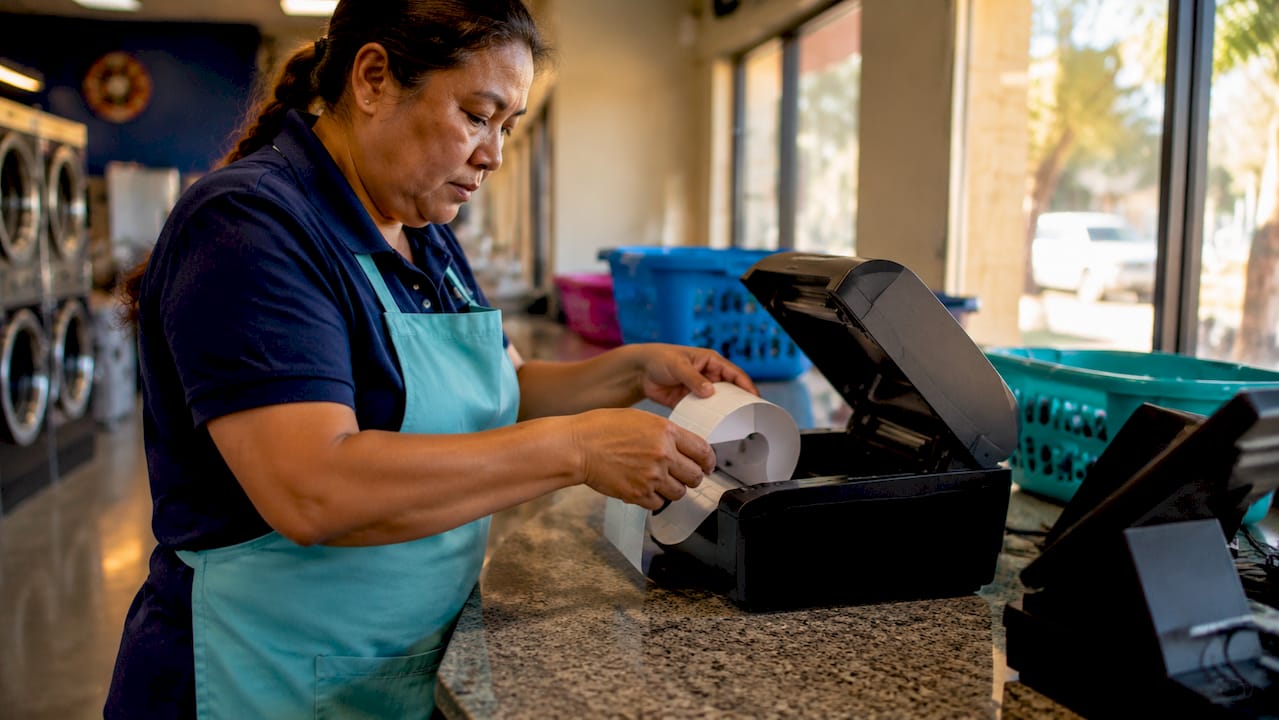
A laundromat tag printer label workflow is the integrated system that connects your point-of-sale software to a physical label printer, producing accurate garment tags the moment an order is created. Without this connection, your staff writes tickets by hand, misreads them under pressure, and loses orders during peak hours. The gap between a handwritten tag and a printed barcode label is not just cosmetic. It is the difference between processing 40 orders a day and processing 80. This guide covers the tools, setup steps, material comparisons, and common mistakes that determine whether your labeling process works for you or against you.
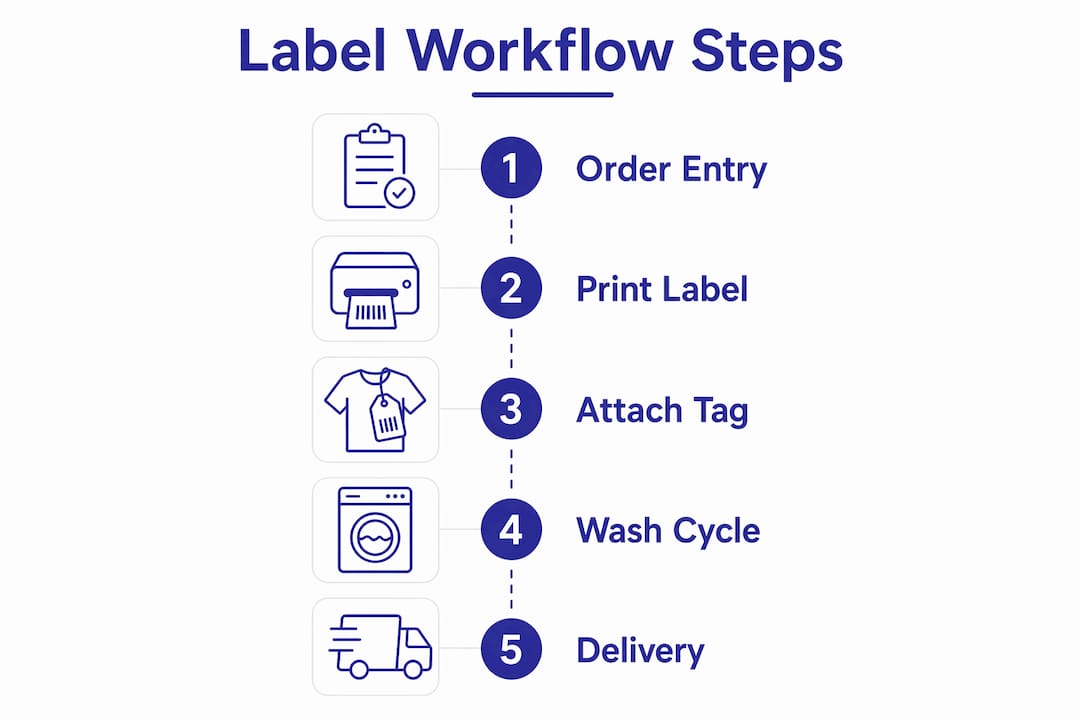
What tools does an efficient laundromat tag printer label workflow require?
The laundromat tag printer label workflow depends on three hardware categories working together: the printer, the label media, and the software connecting them.
Printer types worth considering
Thermal direct printers are the standard choice for laundromat counter operations. They print without ink or toner, which eliminates supply costs and reduces maintenance calls. The Winpal WP-300B is a well-regarded thermal label printer in this category. It handles label sizes from 10 mm to 1778 mm, which means one device covers tiny garment tags and full-size bag labels without a hardware swap.
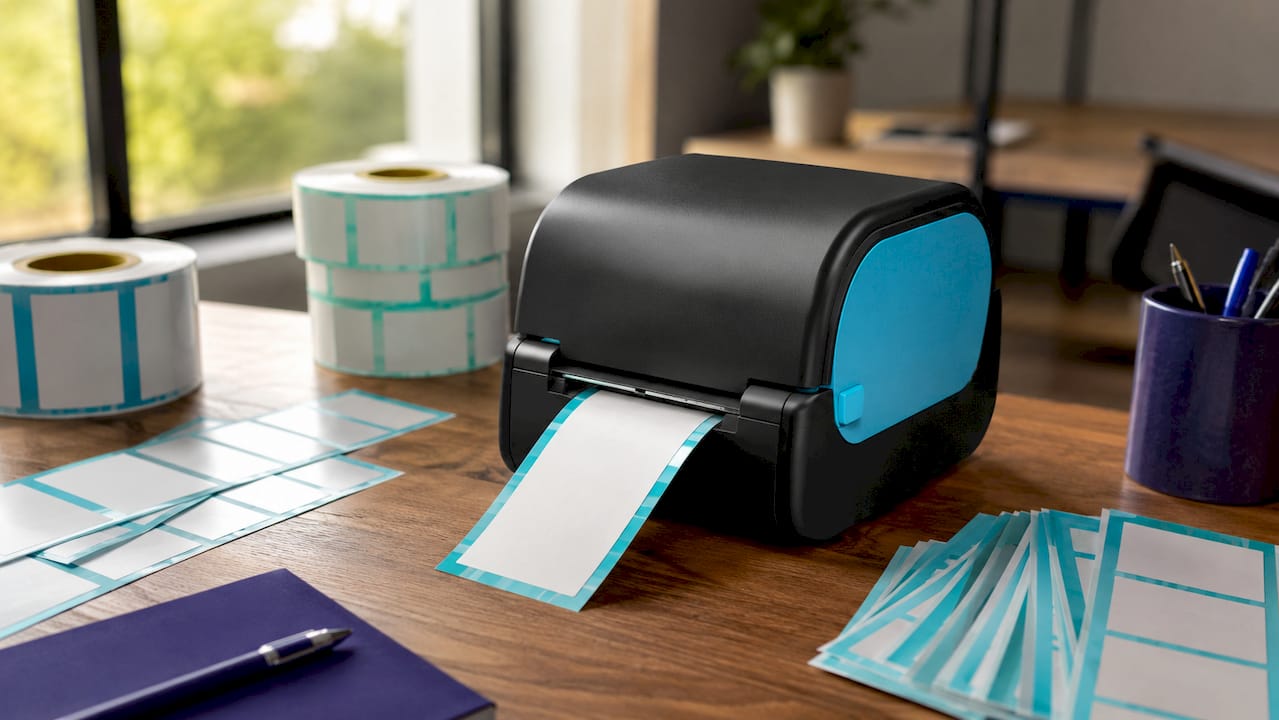
Liner-free label printers are a newer option worth knowing. The Epson OmniLink TM-L100, for example, supports liner-free media that adheres directly to canvas, cotton, and polyester laundry bags without the paper backing that creates waste. For high-volume shops processing dozens of bags per shift, this reduces both material cost and counter clutter.
Star Micronics receipt and tag printers also appear frequently in laundromat setups because they pair natively with iOS-based POS platforms, including Kansoflow.
Label materials that survive the wash
Not all label stock is equal. High-tack adhesive washable laundry tags are the baseline standard. These endure 30 or more wash cycles without peeling or fading, which is sufficient for most customer-facing garment tracking. They are printable, stick-on, and require no heat press equipment.
For commercial laundries or linen services with longer garment lifecycles, RFID heat-press tags are the more durable option. The cost per tag is higher, but the performance gap is significant.
Software and connectivity requirements
Your POS software must support direct printer communication, either through USB, Bluetooth, or a local network connection. Epson thermal printers integrated into the LaunderPay POS platform demonstrate how POS and printer pairing creates a direct link between digital order data and physical label output. Kansoflow pairs natively with Star Micronics printers over Bluetooth, which removes the need for drivers or network configuration on a busy shop floor.
| Component | Recommended Option | Key Benefit |
|---|---|---|
| Thermal label printer | Winpal WP-300B, Star Micronics | No ink cost, fast output |
| Liner-free printer | Epson OmniLink TM-L100 | Adheres to fabric bags, less waste |
| Label media | High-tack washable tags | Survives 30+ wash cycles |
| POS integration | Kansoflow, LaunderPay | Auto-prints on order creation |
Pro Tip: Buy label media from the same vendor that supplies your printer firmware specs. Mismatched adhesive formulas are the most common cause of label peeling on warm garments fresh from the dryer.
How do you set up a laundromat tag printer label workflow?
Setup follows a logical sequence. Skipping steps, especially the template design phase, is where most operators lose time later.
-
Install and connect your printer. For Bluetooth printers like Star Micronics models, pair the device directly to your iOS POS tablet. For USB thermal printers, install the manufacturer driver on the connected device and confirm the printer appears in your system’s device list.
-
Configure your POS software to recognize the printer. In Kansoflow, this is handled inside the hardware settings panel. Select your printer model, set the label size to match your physical media, and run a test print. Confirm the output matches the label dimensions before processing any real orders.
-
Design your label template. A well-designed label template includes the customer name, order number, item count, special instructions, and a barcode or QR code. Optimizing label template design to include all necessary order information directly reduces pickup errors and speeds up staff decisions at every stage of the order lifecycle.
-
Automate label printing on order intake. Set your POS to trigger a print job the moment an order is saved. This removes the manual step of navigating to a print menu under counter pressure. With Kansoflow’s order management features, the label prints as part of the intake action, so your attendant never has to think about it separately.
-
Attach labels correctly. For individual garments, apply the tag to an interior seam or collar area where it will not irritate the customer and will survive agitation in the wash drum. For bags, apply the label to the exterior in a consistent location your staff can find without searching.
-
Monitor for errors and recalibrate. Check the first 10 labels of each shift for alignment. If labels print off-center, recalibrate the sensor settings in your printer’s utility software. Printers with black mark and gap sensors, like the WP-300B, detect label start positions automatically and reduce paper waste from misfeeds.
Pro Tip: Print a batch of 5 test labels at the start of each day using a dummy order. This catches adhesive or alignment issues before they affect real customer garments.
Comparing label materials and printer types for durability
Choosing between label types is a cost-versus-durability decision, and the right answer depends on your service model.
Washable adhesive tags vs. RFID tags vs. heat-pressed labels
Washable adhesive tags are the entry point. They cost less per unit, require no special application equipment, and work with any thermal printer. Their durability ceiling is roughly 30 wash cycles, which covers the full lifecycle of a typical wash-and-fold customer’s order.
RFID heat-press tags operate in a different category. These tags withstand over 200 wash cycles and survive temperatures up to 180°C and pressures up to 60 bar. That performance level is designed for commercial linen services, hotel laundry operations, and uniform programs where garments cycle through industrial machines daily for years. The trade-off is upfront equipment cost: you need a heat press applicator, which runs several hundred dollars, and the tags themselves cost more per unit.
Heat-pressed fabric labels without RFID chips sit between these two options. They are durable and professional-looking, but they require the same heat press equipment and cannot carry digital tracking data without an embedded chip.
Thermal barcode printers vs. liner-free printers
Standard thermal barcode printers are faster to set up and work with a wider range of label stock. Liner-free printers reduce waste and improve adhesion on fabric surfaces, but they require compatible media and are less forgiving if you switch label suppliers.
- Thermal barcode printers: lower entry cost, broad media compatibility, ideal for paper-backed labels on garment tags
- Liner-free printers: better adhesion on bags and fabric, less counter waste, higher media specificity
- RFID-enabled printers: highest cost, required for RFID tag encoding, justified only for commercial-scale operations
For most independent laundromat owners, a thermal barcode printer paired with high-tack washable tags covers 95% of operational needs at the lowest total cost.
Common mistakes in laundromat labeling and how to fix them
The most expensive mistake in laundry labeling is not a broken printer. It is continuing to use handwritten tags after the business grows past 20 orders per day. Automated label printing reduces human error and produces consistent, readable output that handwriting cannot match under pressure.
- Label peeling mid-cycle. This happens when labels are applied to damp garments or when the adhesive is incompatible with the fabric surface. Always apply labels to dry surfaces and confirm your label stock is rated for the wash temperature your machines use.
- Printer jams during peak hours. Jams are almost always caused by label media that does not match the printer’s sensor calibration. Run the printer’s auto-calibration function after loading a new roll of labels, not just when a jam occurs.
- Inconsistent label information. When staff manually type order details into a label template, errors creep in. The fix is full POS integration: the order data populates the label automatically, and the attendant never types a customer name or order number by hand.
- Labels printed too small to read. A label that fits on a tag but cannot be read across a sorting table slows down every downstream step. Set a minimum font size of 12pt for customer names and 10pt for order numbers in your template.
- No backup process when the printer fails. Every shop needs a fallback. Keep a pad of pre-numbered paper tags at the counter. When the printer goes down, assign a number, log it in your POS manually, and reprint the proper label when the printer is back online.
Pro Tip: Keep a second roll of label stock already loaded in a spare core beside the printer. Swapping rolls during a rush takes under 30 seconds if the replacement is ready. Hunting for stock in a back room takes five minutes you do not have.
Key takeaways
A laundromat tag printer label workflow works when POS software, thermal hardware, and washable label media operate as one connected system rather than three separate tools.
| Point | Details |
|---|---|
| Automate at intake | Trigger label printing the moment an order is saved to eliminate manual steps under counter pressure. |
| Match media to use case | Use high-tack washable tags for standard wash-and-fold; reserve RFID tags for commercial linen programs. |
| Design templates fully | Include customer name, order number, item count, and a barcode on every label to reduce pickup errors. |
| Calibrate sensors regularly | Run printer auto-calibration after every new label roll to prevent jams and misfeeds during peak hours. |
| Integrate POS and printer | Native POS-to-printer pairing removes driver conflicts and cuts setup time on busy shop floors. |
Why I think most laundromats underestimate the label workflow
I have watched operators spend thousands on new washers and dryers, then hand their attendant a ballpoint pen to write order tickets. The math does not add up. The washer does not lose the order. The handwritten tag does.
The shift I find most underappreciated is what happens to staff behavior when the label prints automatically. The attendant stops being a transcriptionist and starts being a processor. That mental shift is real, and it shows up in throughput within the first week. Integrating POS with label printers shifts focus from administrative tasks to actual laundry processing, and that is exactly what you see on the floor.
On RFID: the technology is genuinely impressive, but I would not recommend it to an independent owner running a single location under 100 orders per day. The durability advantage of 200-plus wash cycles is real, but adhesive washable tags at 30 cycles cover the full order lifecycle for most customers. Spend the RFID budget on a second printer as a backup instead.
The operators who get this right treat the printer as infrastructure, not a peripheral. They buy a reliable thermal unit, pair it natively with their POS, stock two rolls of washable label media at all times, and never think about it again. That is the goal.
— Artur
How Kansoflow makes label printing part of your operation
Kansoflow is a native iOS POS platform built specifically for laundromat owners who are done managing orders on paper. The platform pairs directly with Star Micronics tag printers over Bluetooth, so the moment you save an order at the counter, the label prints. No menu navigation. No manual data entry. The printer hardware acts as the physical link between your digital order data and your shop floor operations. Kansoflow also includes a visual Kanban board for tracking orders through Wash, Fold, Dry Cleaning, and Ready stages, plus photo intake at the counter to eliminate lost-garment disputes. If you want to see exactly how the label printing workflow fits into the full platform, the features page walks through every integration in detail.
FAQ
What is a laundromat tag printer label workflow?
A laundromat tag printer label workflow is the system that connects POS software to a label printer, automatically generating garment tags when an order is created. It replaces handwritten tickets with printed barcodes and customer information.
What label printer works best for laundromats?
Thermal direct printers like the Winpal WP-300B and Star Micronics models are the most practical choices for laundromat counter operations. They require no ink, print quickly, and pair natively with iOS-based POS platforms.
How many wash cycles can laundry labels survive?
High-tack adhesive washable laundry tags survive 30 or more wash cycles, which covers the full lifecycle of a standard wash-and-fold order. RFID heat-press tags last over 200 cycles for commercial linen programs.
Does POS integration actually reduce errors?
Yes. When order data flows directly from POS software to the printer, staff never type customer names or order numbers by hand. Automated label printing reduces mistakes to near zero compared to handwritten tags.
How long does it take to print a laundry tag?
Printing a complete barcode label takes seconds, compared to the minute or more required to write a legible handwritten tag. That time difference compounds across every order in a high-volume shift.