Replace Paper Tickets at Your Laundromat with Digital
Replace paper tickets with a cloud-based POS and digital ticketing system. That’s the short answer. Operators who make the switch report fewer lost orders, faster customer pickups, and a searchable order history that ends the “I can’t find your ticket” conversation for good.
What digital ticketing replaces:
- Handwritten paper tickets and carbon-copy receipts
- Manual order logs and paper-based reconciliation
- Verbal or sticky-note customer notifications
- Cash-only or coin-only payment workflows
Top operational wins after switching:
- Lost-order disputes drop sharply
- Staff spend less time hunting for orders and more time processing them
- Customers get automated SMS updates instead of calling the counter
- Every order is searchable by name, phone number, or date
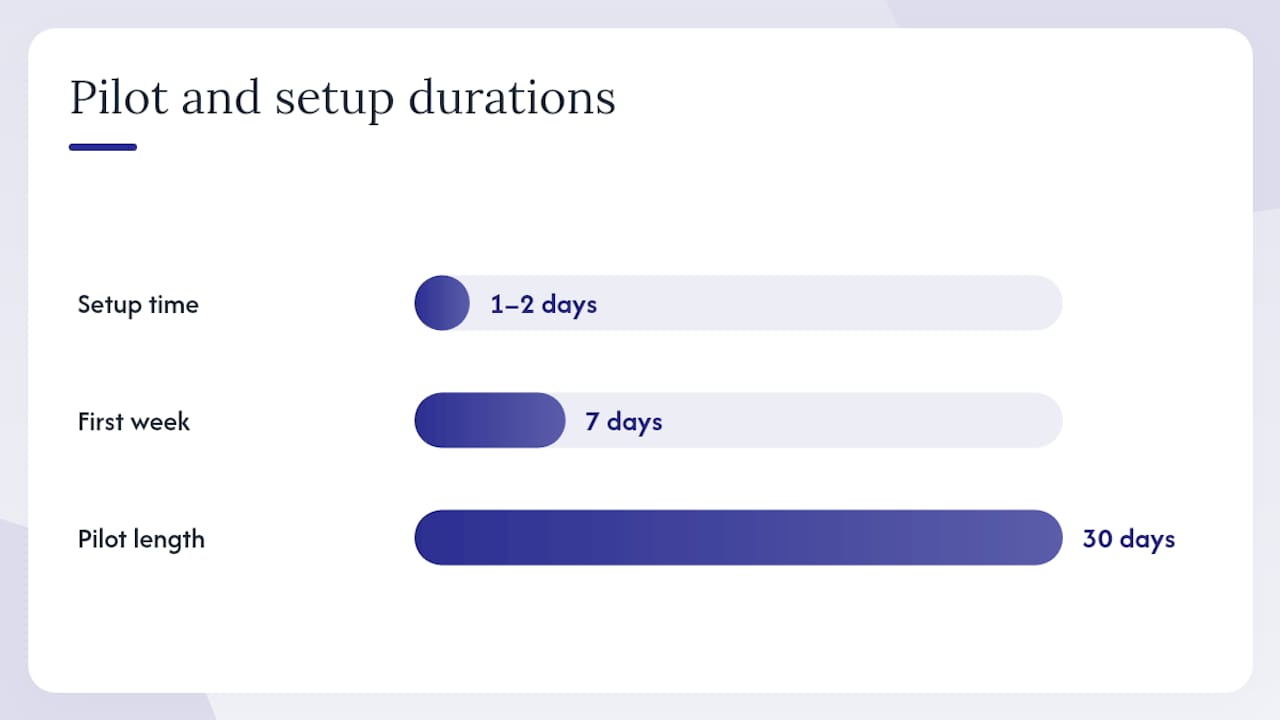
Recommended next step: Pilot one service lane or one location for 30 days using a cloud POS with digital order tracking before committing to a full rollout.
Table of Contents
- What does digital ticketing actually look like in a laundromat?
- How do you choose the right digital ticketing solution?
- What hardware and integrations do you actually need?
- What does a realistic migration plan look like?
- What should you measure after you go digital?
- Why does Kanso Flow meet the criteria for most laundromat operators?
- How do you communicate the change to customers?
- What compliance and data regulations apply to digital payments and ticketing?
- Key Takeaways
- The part most guides skip about going digital
- Kanso Flow is built for exactly this transition
- Useful sources for your evaluation
What does digital ticketing actually look like in a laundromat?
Digital ticketing, or a cloud-based laundry POS, replaces the paper ticket with a live order record stored in the cloud and accessible from any authorized device. Here’s how the core workflow runs:
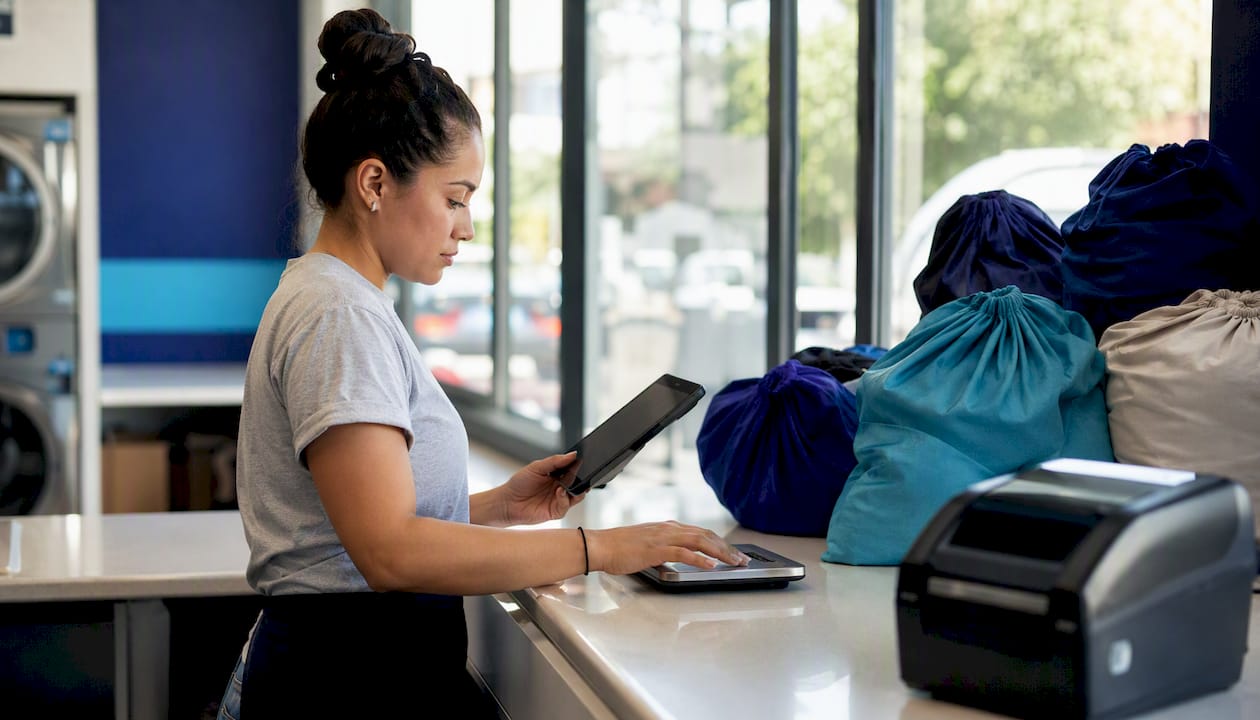
Step 1: Intake. The attendant opens a new order on an iPad or tablet, enters the customer’s name and phone number, selects the service type (wash-and-fold, dry cleaning, alterations), and weighs the items on a Bluetooth scale. The system calculates the price automatically. A photo of the garments is taken at the counter.
Step 2: Processing. The order moves through digital workflow stages: Wash, Dry, Fold, Ready. Attendants drag orders across a visual board as work progresses. Every stage change is timestamped and logged.
Step 3: Ready notification. When the order hits “Ready,” the system fires an automated SMS to the customer. No phone calls, no sticky notes on the bag.
Step 4: Pickup. The customer arrives, the attendant pulls the order by name or phone number in seconds, collects payment via card or mobile wallet, and closes the ticket. The full order record, including photos, stays in the cloud.
Key features that make this work:
- Searchable order history by customer name, phone, or date
- Photo intake attached to each order record
- Order tagging for special instructions or preferences
- Customer accounts that store preferences and order history
- Staff accountability via per-device PIN access
- Automated SMS and email notifications
- Payment integration with Stripe or Square
How do you choose the right digital ticketing solution?
Start with the operational criteria, then stress-test vendors against them. Here’s what actually matters:
Evaluation criteria:
- Full order lifecycle support (intake through pickup, not just payment)
- Native hardware compatibility: Bluetooth scales, receipt/tag printers, card readers
- Payment processing options (Stripe, Square, or comparable processors)
- Exportable reporting and order history
- Automated SMS/email notifications included or available
- Data security: encryption, role-based access, cloud backup
- Vendor support quality and uptime commitments
Questions to ask every vendor during a demo:
- Does your system run natively on iOS, or is it a browser-wrapped web app?
- Which receipt and tag printers are natively supported?
- Which Bluetooth scales integrate directly?
- What payment processors do you support, and what are the processing fees?
- Can I export my full order history and customer data at any time?
- How does your SMS notification system work, and what does it cost beyond the base subscription?
- What happens to my data if I cancel my subscription?
- Do you have local hardware partners or installers in my area?
- What is your average support response time, and do you offer phone support?
- How is customer PII stored and protected?
- Can I set different access levels for different staff members?
- What does onboarding look like, and how long does setup typically take?
Red flags to watch for:
- Opaque or bundled payment processing fees with no itemized breakdown
- No native iOS or Android app (browser-only UIs are slower and less reliable on a shop floor)
- No photo intake capability
- Limited or no data export
- Missing privacy policy or cookie policy documentation
- Proprietary hardware lock-in with no third-party alternatives
- No mention of uptime SLAs or support response times
What hardware and integrations do you actually need?
Getting the hardware right upfront prevents the most common cutover headaches. Here’s what a typical digital ticketing setup requires:
Hardware checklist:
- iPad (current generation) or commercial-grade Android tablet
- Commercial receipt printer and tag/label printer (Star Micronics is a widely supported brand for laundry POS)
- Bluetooth or USB commercial scale for weight-based billing
- Card terminal or tap reader (compatible with Stripe or Square)
- Optional: customer-facing kiosk for self-check-in or order status
Typical cost tiers:
| Tier | Setup | What’s Included |
|---|---|---|
| Entry | — | iPad, one receipt printer, basic card reader |
| Mid | — | Above + label printer, Bluetooth scale |
| Full | — | Above + kiosk, additional card terminals |
These are one-time hardware costs. Recurring costs are the software subscription ($99–$330/month depending on the platform) plus payment processing fees and SMS charges.
Why integrations matter operationally: A Bluetooth scale that feeds weight directly into the POS eliminates manual entry errors on every single order. A Star Micronics tag printer means each bag gets a scannable label the moment the order is created, so no one is guessing which bag belongs to which customer. Stripe and Square integrations mean payment reconciliation happens automatically, not at the end of a shift with a calculator.
For installation, local hardware partners like Laundry Concepts Inc. can handle printer and scale installation on-site, which reduces downtime during cutover and keeps your warranty intact.
What does a realistic migration plan look like?
Thirty to ninety days is a realistic window for most single-location shops. Here’s how to structure it:
Phase 1: Preparation (Days 1–14)
- Audit your current ticket volume and service types.
- Select your POS platform and confirm hardware compatibility.
- Order hardware and set up your cloud account.
- Build your service menu, pricing, and customer notification templates in the system.
Phase 2: Staff training and pilot (Days 15–28)
- Train all attendants on the intake workflow, order stages, and payment flow.
- Run the digital system in parallel with paper tickets on one service lane.
- Identify friction points and adjust workflows before full cutover.
Phase 3: Full cutover (Days 29–90)
- Stop issuing paper tickets on all lanes.
- Post signage explaining the new process to customers.
- Monitor KPIs weekly: order errors, pickup times, dispute rate.
- Check 30/60/90-day milestones against your baseline.
Budget checklist:
| Cost Item | Typical Range |
|---|---|
| Software subscription | $99–$330/month |
| Payment processing | payment processing fees |
| SMS notifications | Included or usage-based add-on |
| Contingency | 10–15% of hardware cost |
Pro Tip: Run paper and digital in parallel for at least one full week before cutting paper entirely. It gives staff confidence and catches any workflow gaps before a customer’s order depends on the new system alone.
What should you measure after you go digital?
Set your baseline before you flip the switch. Pull two to four weeks of data from your current paper system: how many orders per day, how many disputes, how long pickups take on average. That baseline is what you measure against.
KPIs to track:
- Order error rate (misbilled, lost, or disputed orders per week)
- Lost-item dispute rate
- Average customer pickup time from drop-off to notification
- Admin hours spent reconciling orders and tickets per week
- Repeat wash-and-fold order rate
- Payment acceptance rate (card vs. cash)
- Revenue per order
Operators who switch from manual WDF tracking to a digital POS report a 40% reduction in order errors, a 25% increase in wash-and-fold repeat orders, and 2–4 hours per week of admin time saved. Replacing multiple separate tools (scheduling, CRM, accounting) with one integrated stack typically replaces $190–$350 per month of fragmented subscriptions and saves 4–8 hours per month in reconciliation.
A simple ROI check: if your attendants spend 30 minutes per day hunting for paper tickets and resolving disputes, that’s roughly 180 hours per year. At $15/hour, that’s $2,700 in labor. If you pay $190–$350 per month for a laundry POS subscription, your annual cost is $2,280–$4,200, offset by admin time saved and higher repeat order rates.
Check your numbers at 30, 60, and 90 days. The first 30 days will show you the training curve. By day 60, errors should be trending down. By day 90, you’ll have enough data to calculate a real annualized ROI.
Why does Kanso Flow meet the criteria for most laundromat operators?
Kanso Flow is a native iOS POS built specifically for laundromats and dry cleaners. It doesn’t try to be a general retail system adapted for laundry. Every feature maps directly to the criteria in the evaluation checklist above.
| Required Capability | Kanso Flow Feature |
|---|---|
| Order lifecycle tracking | Visual Kanban board: Wash → Fold → Dry Cleaning → Ready |
| Photo intake | Instant garment photography at counter intake |
| Hardware integration | Star Micronics printers, Bluetooth scales |
| Payment processing | Stripe and Square native integrations |
| Automated notifications | SMS customer alerts at order stage changes |
| Staff accountability | Per-device PIN security with role-based access |
| Multi-location support | Inter-branch transfers and outsourcing management |
| Reporting | Real-time cloud-synced operational reports |
The Kanso Flow feature set covers every item on the vendor evaluation checklist: native iOS (not a browser wrapper), Star Micronics printer support, Bluetooth scale integration, Stripe/Square payment processing, automated SMS, exportable reporting, and per-device PIN access for staff.
For a pilot, scope it to your wash-and-fold lane for 30 days. Setup typically takes one to two days once hardware arrives. In the first week, focus on getting intake and notification workflows running correctly. By week two, your staff will be processing orders faster than they did with paper.
Pro Tip: Use the photo intake feature from day one, even if it feels like an extra step. The first time a customer disputes a missing item and you can pull up the intake photo in 10 seconds, you’ll understand why it’s worth the extra 15 seconds at drop-off.
On privacy: Kanso Flow stores order data and customer PII in the cloud. Before onboarding, review the vendor’s privacy policy and cookie policy to confirm data retention terms and how customer information is handled. This applies to any cloud POS you evaluate, not just Kanso Flow.
How do you communicate the change to customers?
Most customers adapt quickly when the communication is clear and the new process is faster for them. The friction usually comes from operators who switch without explaining what changed.
Before the cutover:
- Post a sign at the counter two weeks in advance: “We’re upgrading to digital order tracking. You’ll get a text when your order is ready.”
- Update your Google Business Profile and any social media with a short note about the change.
At the counter on day one:
- Tell every customer directly: “We’ve switched to a digital system. I’ll take your phone number and you’ll get a text when your order is ready. No more paper ticket to keep track of.”
- Have a simple one-page FAQ printed for customers who ask questions.
After the cutover:
- The automated SMS notification does most of the customer communication work for you. Customers who get a text saying “Your order is ready for pickup” don’t need to call the counter.
- For customers who prefer not to give a phone number, offer an order ID printed on a small tag as an alternative.
The biggest customer complaint during transitions is usually “I don’t know what’s happening with my order.” Automated notifications solve that problem directly. Customers who previously had to call to check status will notice the improvement immediately.
What compliance and data regulations apply to digital payments and ticketing?
Running a cloud POS with SMS notifications means you’re collecting and storing customer PII: names, phone numbers, order history, and potentially payment data. U.S. laundromat operators don’t face a single federal privacy law equivalent to GDPR, but several obligations apply.
Payment data: If you process cards through Stripe or Square, PCI DSS (Payment Card Industry Data Security Standard) compliance is handled largely by the processor. You still need to ensure your hardware and network meet basic security standards. Don’t store raw card numbers anywhere in your system.
SMS notifications: The Telephone Consumer Protection Act (TCPA) requires that customers consent to receive automated text messages. Collect that consent at intake, either verbally with a logged confirmation or via a short written acknowledgment. Keep records of consent.
State-level privacy laws: California’s CPRA (California Privacy Rights Act) and similar laws in other states give customers rights over their data, including the right to request deletion. If you operate in California or serve California residents, review your vendor’s data retention and deletion policies carefully.
Practical steps:
- Use a POS vendor that stores data with encryption at rest and in transit.
- Review the vendor’s privacy policy before onboarding.
- Ask specifically how long customer data is retained after account closure.
- Keep your own records of SMS consent at intake.
This section is general information, not legal advice. Confirm your specific obligations with a qualified attorney or your state’s consumer protection office.
Key Takeaways
Replacing paper tickets with a cloud POS cuts order errors, saves staff hours, and gives customers the automated updates they already expect from every other service business.
| Point | Details |
|---|---|
| Start with a pilot | Run digital ticketing on one lane for 30 days before full cutover to catch workflow gaps early. |
| Hardware budget | Plan — for hardware plus $99–$330/month for a laundry-specific POS subscription. |
| Measure the right KPIs | Track order error rate, dispute rate, admin hours, and repeat W&F orders at 30/60/90-day milestones. |
| Compliance basics | Collect SMS consent at intake and review your vendor’s privacy and data retention policies before onboarding. |
| Kanso Flow as a starting point | Kanso Flow’s native iOS POS covers the full evaluation checklist: Kanban workflow, photo intake, Star Micronics integration, and Stripe/Square payments. |
The part most guides skip about going digital
The conventional wisdom on replacing paper tickets focuses almost entirely on the technology: which app, which printer, which payment processor. That’s the easy part. The harder part is what happens in the first two weeks when your most experienced attendant still reaches for a paper ticket out of habit, or when a long-time customer gets confused because there’s no physical receipt to hold.
The operators who struggle with this transition are usually the ones who treated it as a software swap. The ones who succeed treated it as a process change that happened to involve new software. That means spending real time on the intake workflow before going live, not just clicking through a demo. It means having a clear answer ready for the customer who asks “but what if my phone dies and I can’t get the text?” (Answer: you look them up by name in three seconds.)
The photo intake feature is the most underrated part of the whole system. Most owners think of it as a dispute-resolution tool. It is, but it’s also the thing that changes how your staff handles drop-off. When attendants know every order is photographed, they’re more careful at intake. That behavioral shift alone reduces errors before any software feature kicks in.
Going digital doesn’t fix a disorganized shop. It amplifies whatever process discipline you already have. Get the workflow right first, then let the software track it.
Kanso Flow is built for exactly this transition
Paper tickets cost you more than you think: staff time, lost-order disputes, and customers who stop coming back after one bad experience. Kanso Flow replaces that entire paper-based workflow with a native iOS POS that runs on standard iPads, pairs with Star Micronics printers and Bluetooth scales, and fires automated SMS updates to customers the moment their order is ready.
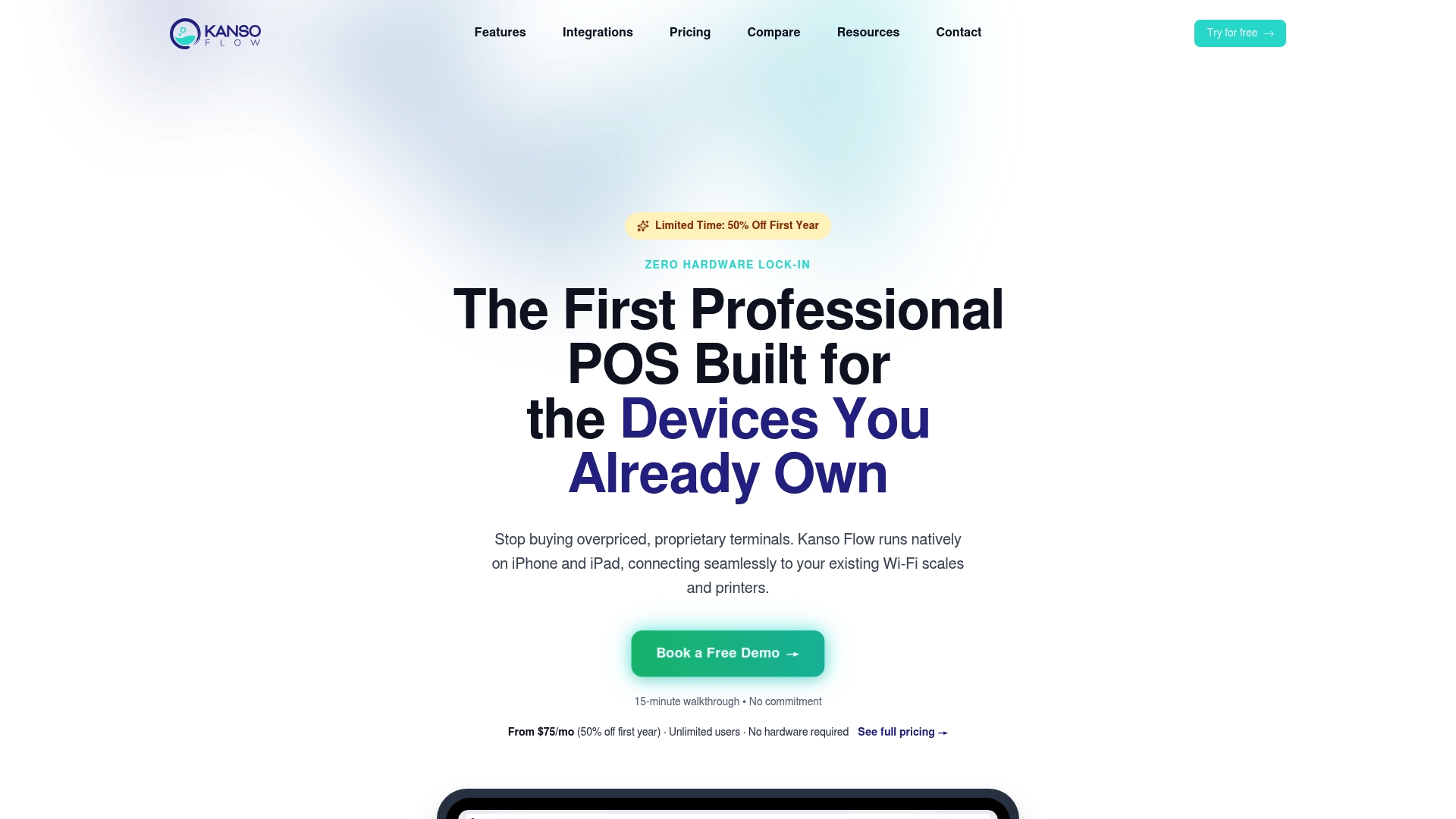
There’s no browser-wrapped workaround here. The app is built for the shop floor: fast intake, visual Kanban order tracking, photo documentation at drop-off, and Stripe/Square payment processing in one place. Multi-location operators get inter-branch transfer management and real-time reporting across all locations.
See exactly how it maps to your current workflow on the Kanso Flow features page, or go straight to kansoflow.com to schedule a walkthrough with the team.
Useful sources for your evaluation
- Kanso Flow | Mobile Laundry POS & Management Software
- Kanso Flow | Mobile Laundry POS & Management Software
- iubenda privacy policy (example)
- Laundry Concepts Inc. (Google Maps)