iOS POS for Dry Cleaning: Boost Efficiency and Service

An iOS POS system for dry cleaning is defined as a purpose-built point-of-sale platform that combines Apple hardware with vertical software to manage every step of the garment service workflow. The role of iOS POS in dry cleaning goes far beyond processing payments. These systems handle order intake, status tracking, customer notifications, and financial reporting from a single counter-mounted device. Digitizing intake, notifications, and financial close using mobile apps can reduce operational time by 60% compared to manual paper-based processes. That number tells you one thing clearly: the gap between a paper-ticket shop and a digital one is not marginal. It is the difference between running your business and being run by it.
How does iOS POS improve operational efficiency in dry cleaning?
iOS POS systems replace the three biggest time drains in a dry cleaning shop: manual order entry, paper status tracking, and end-of-day cash reconciliation. Each of these tasks, done by hand, introduces errors that compound across a full week of orders.
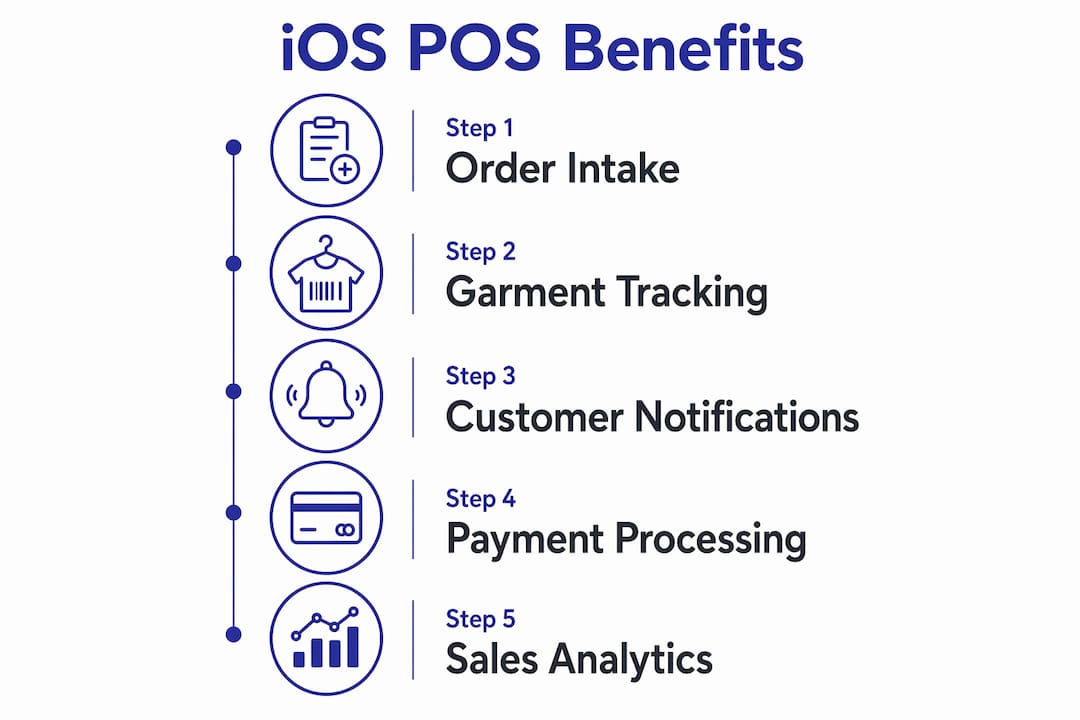
The operational backbone of a modern dry cleaning POS follows a five-subsystem workflow: intake, status tracking, customer notifications, financial control, and post-service records. Each subsystem feeds the next. When intake is digital, status tracking updates automatically. When status updates automatically, customer notifications fire without staff intervention. The result is a shop that runs with fewer touch points per order.
Automation handles the tasks that used to require a second employee. Tax calculation, receipt printing via Star Micronics printers, and daily sales summaries all run without manual input. Barcode scanning at the counter and on the plant floor ties physical garments to digital records in real time.
- Digital order intake replaces handwritten tags with printed barcodes, eliminating misread notes and lost tickets.
- Real-time status tracking lets any staff member answer “Is my order ready?” without searching through racks.
- Automated tax and payment processing removes end-of-day arithmetic errors from the closing routine.
- Cloud-based reporting gives owners a full sales picture from any device, not just the shop terminal.
- Barcode scanning integration connects front-desk intake to plant-floor processing without manual handoffs.
Pro Tip: Choose an iOS POS built specifically for laundry and dry cleaning rather than a generic retail tablet setup. Purpose-built systems include garment-specific pricing fields, service type categories, and hardware pairings that a general retail POS will never offer out of the box.
How does iOS POS improve the customer experience in dry cleaning?
Customer experience in dry cleaning has historically been opaque. You drop off a suit, get a paper ticket, and call back two days later to check if it is ready. iOS POS systems change that model entirely.
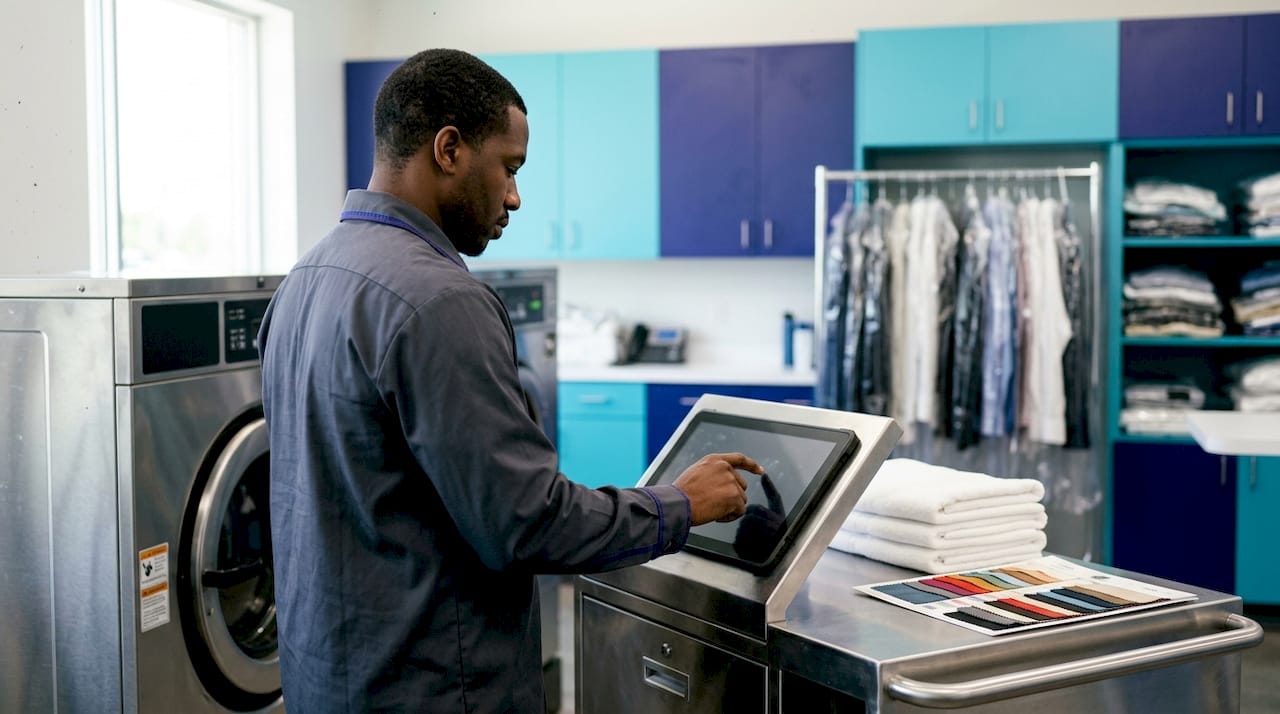
Specialized iOS POS hardware with dual screens improves customer transparency by showing real-time order status and capturing digital signatures at intake. Operators report that customers engage differently when they can see their order details on a screen facing them. The interaction shifts from transactional to transparent.
Here is how the customer experience changes at each touchpoint:
- At intake: The customer watches their garments get logged, priced, and tagged on a screen they can read. Digital signature capture replaces the paper receipt they used to lose.
- During processing: Automated SMS or email notifications fire when the order moves to “Ready.” The customer does not need to call.
- At pickup: The customer confirms their order on the customer-facing display before paying. Disputes about pricing or missing items drop sharply.
- At payment: Mobile POS systems support chip cards, contactless NFC payments, and digital wallets, keeping checkout fast. Cloud-based authorization prevents delays at the register.
Pro Tip: Set up automated order-ready notifications the day you go live with your iOS POS. Customers who receive proactive updates return more often and generate fewer inbound calls to your counter staff.
What are the key features of iOS POS software for dry cleaning?
The software layer is where iOS POS systems earn their value for dry cleaning owners. Generic retail POS platforms track SKUs. Dry cleaning POS platforms track garments, service types, customer preferences, and multi-location workflows simultaneously.
A cloud-based iOS POS system provides centralized sales analytics, multi-location inventory control, and employee performance tracking in a single dashboard accessible from anywhere. For an owner running two or three locations, that remote visibility replaces the need to physically visit each shop to understand daily performance.
The cloud backend relies on relational database technology to manage orders, customers, and payments. That architecture means your data is structured, searchable, and recoverable. A crashed tablet does not mean lost customer records.
| Feature | What it does for your shop |
|---|---|
| Garment-specific pricing | Sets different rates for shirts, suits, drapes, and specialty items without manual overrides |
| CRM and customer profiles | Stores preferences, allergy notes, and order history for every returning customer |
| Multi-location management | Transfers orders between drop-off and processing locations with full tracking |
| Employee access controls | Assigns role-based permissions so staff see only what they need |
| Real-time sales dashboard | Shows revenue, order volume, and service mix updated live throughout the day |
Kansoflow builds all of these capabilities into a native iOS platform. Its visual Kanban board moves orders through Wash, Fold, Dry Cleaning, and Ready stages with a drag-and-drop interface. Photo intake at the counter documents garment condition before processing, which cuts lost-item disputes before they start. You can explore the full feature set here.
What challenges come with implementing iOS POS in dry cleaning?
The most common mistake dry cleaning owners make when adopting iOS POS is using consumer-grade hardware in a plant environment. Consumer iPads in plant environments cause clutter and hardware fragility issues. Most operators struggle with front-desk cable management and screen damage until they switch to integrated hardware built for the environment.
Purpose-built terminals designed for harsh environments feature rugged touchscreens and multi-angle barcode scanning. The difference in scanning speed is significant. Manual barcode reads on a plant floor can take 90 seconds per garment. A purpose-built scanner handles the same task in 1 second. Across 200 garments a day, that gap adds up to hours of recovered labor per week.
Best practices for a successful iOS POS rollout:
- Audit your counter setup first. Measure the physical space, power access, and cable routing before ordering hardware. A cluttered counter slows every transaction.
- Train staff on the intake workflow before go-live. The biggest adoption barrier is not the software. It is staff reverting to paper when the system feels unfamiliar.
- Run parallel systems for the first two weeks. Keep paper tickets as a backup while staff build confidence. Then cut paper entirely.
- Connect your iOS POS to your payment processor on day one. Stripe and Square integrations in platforms like Kansoflow mean you do not need a separate terminal or manual reconciliation.
- Plan for multi-location from the start. Even if you run one shop today, choose a platform that handles inter-branch transfers and centralized reporting. Scaling later on a single-location system is expensive.
Key Takeaways
iOS POS systems are the single most effective operational upgrade available to dry cleaning owners, combining order management, payment processing, and customer communication in one platform.
| Point | Details |
|---|---|
| Operational time savings | Digitizing intake and notifications can cut operational time by 60% versus paper-based processes. |
| Customer transparency | Dual-screen hardware and digital signatures shift customer interactions from transactional to transparent. |
| Purpose-built hardware matters | Consumer iPads fail in plant environments; rugged terminals reduce scan time from 90 seconds to 1 second. |
| Software depth drives growth | CRM, multi-location management, and real-time dashboards give owners remote visibility across all locations. |
| Start with the right platform | Choose a native iOS POS built for dry cleaning to avoid costly workarounds as your business scales. |
Why hardware and software integration is the real differentiator
I have watched dry cleaning owners spend months evaluating POS software while completely ignoring the hardware question. That is the wrong order of operations. The software is only as good as the physical setup it runs on.
The insight that sticks with me is this: integrating hardware and software tailored for dry cleaning builds customer trust through transparency, not just transaction speed. A customer-facing screen showing their order total and garment condition is not a nice feature. It is a trust mechanism. It tells the customer you have nothing to hide and everything documented.
The operators I respect most made the switch from legacy systems not because they were chasing technology. They did it because they were tired of losing arguments about missing buttons and disputed prices with no digital record to back them up. An iOS POS with photo intake ends that problem on day one.
The trend I am watching closely in 2026 is real-time plant-floor scanning. When every garment gets scanned at each processing stage, owners get a live map of where every order sits at any moment. That is not a luxury for large operations. It is the baseline expectation customers are starting to bring to every service business they use.
My advice: stop treating your POS as a cash register upgrade. Treat it as the operating system of your shop. Every workflow, every staff interaction, and every customer touchpoint runs through it. Choose accordingly.
— Artur
Kansoflow: built for dry cleaning on iOS
Dry cleaning owners who want the iOS POS benefits described in this article without the integration headaches have a direct path forward with Kansoflow.
Kansoflow is a native iOS platform built specifically for laundry and dry cleaning operations. It pairs with Star Micronics printers and Bluetooth scales out of the box, processes payments through Stripe and Square, and gives owners a real-time Kanban board to track every order from intake to pickup. Photo documentation at the counter protects you from lost-item disputes before they happen. Multi-location support means you can manage a second or third shop from the same account without switching systems. Visit Kansoflow’s features page to see how each capability maps to your daily workflow, or go to kansoflow.com to get started.
FAQ
What is the role of iOS POS in dry cleaning?
An iOS POS system in dry cleaning manages order intake, garment tracking, payment processing, and customer notifications from a single platform. It replaces paper tickets and manual processes with a digital workflow that reduces errors and saves staff time.
How does iOS POS software handle dry cleaning-specific pricing?
Dry cleaning POS software includes garment-specific pricing fields that let you set different rates for shirts, suits, drapes, and specialty items. This eliminates manual price overrides and keeps your pricing consistent across every transaction.
Can an iOS POS system work across multiple dry cleaning locations?
A cloud-based iOS POS provides centralized management for multiple locations, including order transfers between drop-off and processing sites, consolidated sales reporting, and employee access controls from one account.
Why is purpose-built hardware better than a consumer iPad for dry cleaning?
Consumer iPads create clutter and break down in plant environments. Purpose-built terminals with rugged touchscreens and multi-angle barcode scanners reduce scan time from 90 seconds to 1 second per garment, which adds up to significant labor savings across a full day of orders.
What payment methods does an iOS POS support in a dry cleaning shop?
Mobile POS systems support chip cards, contactless NFC payments, and digital wallets. Cloud-based authorization keeps checkout fast and prevents delays at the register during peak hours.