Drag and Drop Order Management for Laundromats
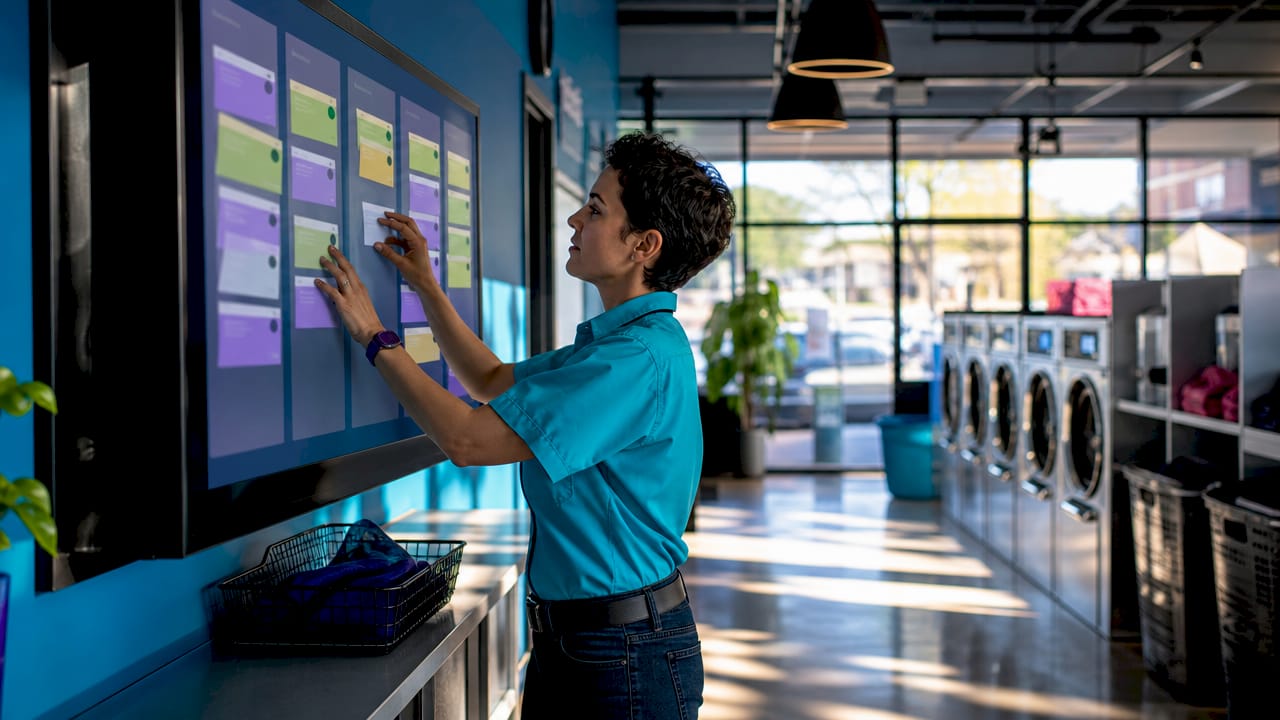
Drag and drop order management is a visual interface system that lets you update customer orders by physically moving them between workflow stages on a digital board. For laundromat and dry cleaning owners, this replaces paper tickets, handwritten logs, and the mental overhead of remembering which bag belongs to which customer. Platforms like Kansoflow, monday.com, and fabric OMS all use this interaction model because it mirrors how people naturally think about work in progress. When an order moves from Wash to Dry with a single drag, the system updates in real time and can trigger automated notifications to staff or customers without any extra steps from you.
How does drag and drop order management work in a laundromat?
The core mechanic is a digital board divided into columns that represent your workflow stages. A typical laundromat setup might include columns labeled New, Washing, Drying, Folding, and Ready for Pickup. Each customer order appears as a card on that board, usually tagged with a unique identifier like a ticket number, customer name, or barcode scan. When your attendant finishes washing a load, they drag that card from the Washing column into the Drying column. That single action updates the order’s status across the entire system instantly.
What makes this more than a visual trick is what happens behind the scenes. Dragging an order card triggers backend events automatically, such as sending a text notification to the customer, updating your inventory count for detergent used, or logging a timestamp for that stage. Your staff does not need to open a separate app, send a manual message, or update a spreadsheet. The drag is the action, and the system handles the rest.
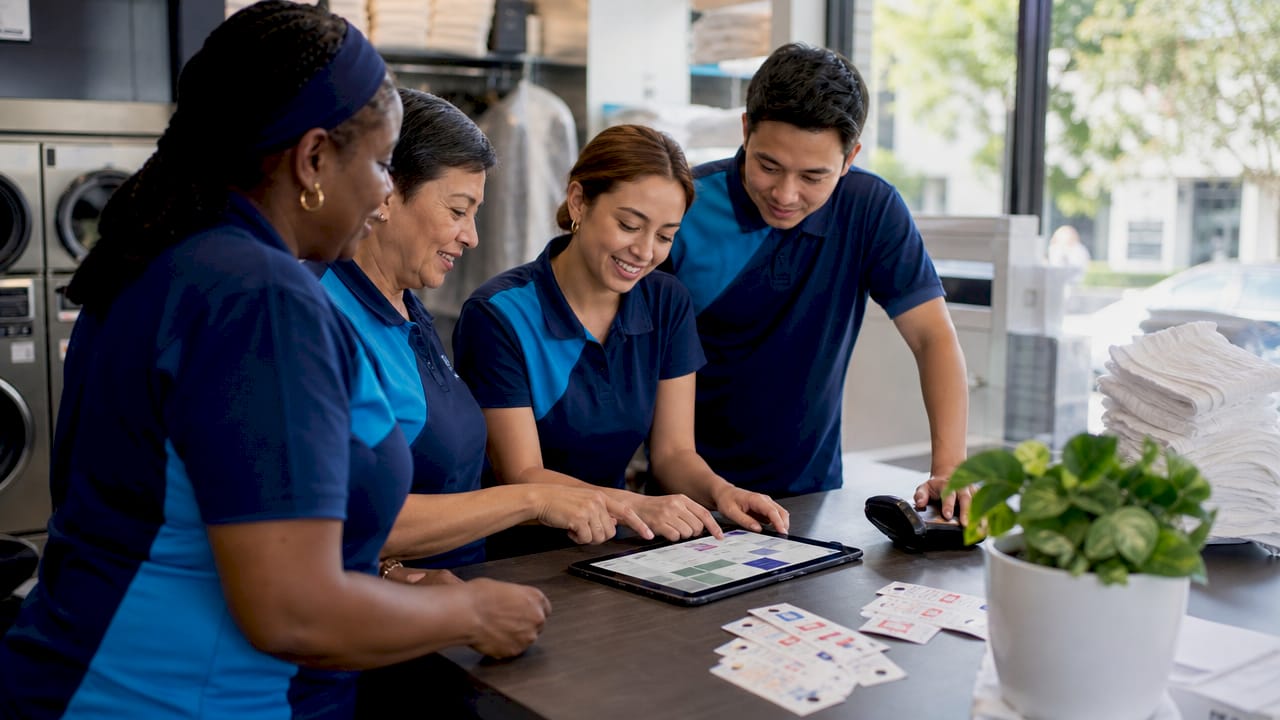
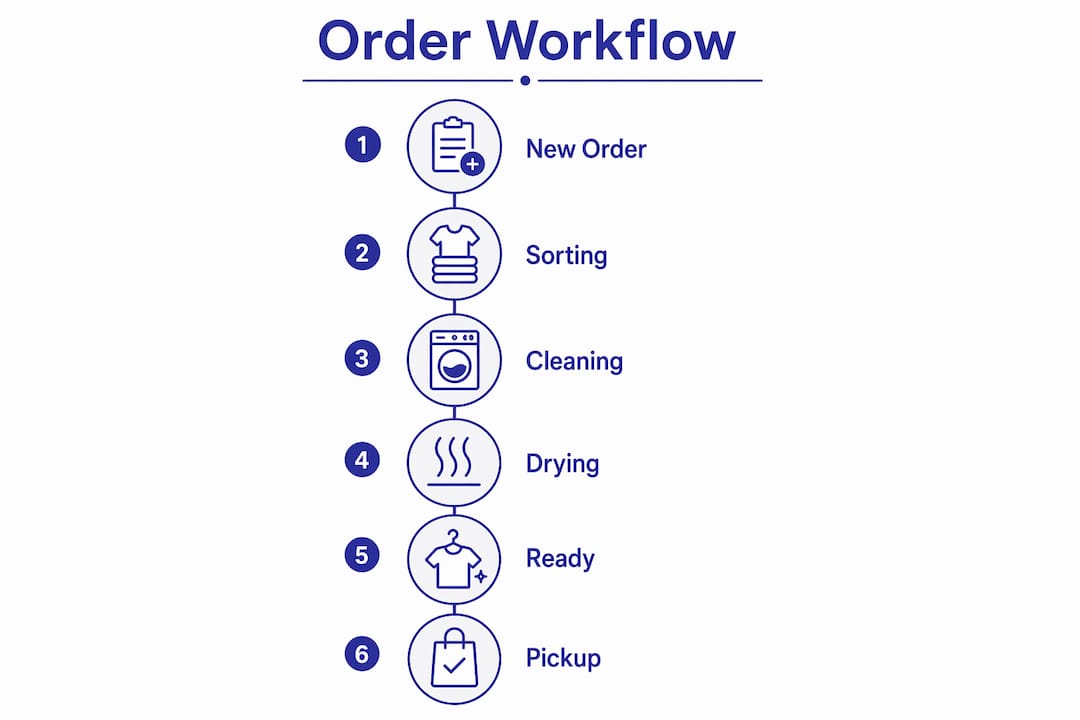
Here is a simple view of how a standard laundromat order moves through a drag and drop system:
| Stage | Trigger action | Automated output |
|---|---|---|
| New | Order created at counter | Customer receives intake confirmation |
| Washing | Card dragged to Washing | Timer starts, staff notified |
| Drying | Card dragged to Drying | Washer freed up in capacity view |
| Folding | Card dragged to Folding | Quality check prompt sent to staff |
| Ready for Pickup | Card dragged to Ready | Customer receives pickup SMS or email |
Pro Tip: Label your board stages to match exactly what your staff already calls each step verbally. If your team says “on the rack” instead of “Ready for Pickup,” use that language. Adoption happens faster when the software speaks your shop’s dialect.
Orders are tracked by unique identifiers throughout this process, so even if two customers drop off similar items on the same day, there is no confusion. The card carries all the relevant details, including garment photos, special instructions, and pricing, from the moment it is created.
What are the benefits of drag and drop order systems vs. traditional methods?
Paper tickets have one fatal flaw: they exist in only one place at a time. If a ticket is on the machine, it is not at the counter. If it is at the counter, your attendant in the back has no idea what stage that order is in. Drag and drop order systems eliminate that single point of failure by giving every team member a live view of every order simultaneously.
The practical benefits for laundromat and dry cleaning owners include:
- Real-time visibility. Every staff member sees the same board, updated the moment a card moves. No one needs to shout across the shop or check a clipboard.
- Fewer fulfillment errors. Orders are tracked by unique identifiers, not memory. Mismatched bags and wrong-customer handoffs drop significantly.
- Faster staff onboarding. New attendants learn a visual board in minutes. Paper-based systems require memorizing a process that varies by shift.
- Customer communication on autopilot. Automated, rule-based workflows help achieve a 3%+ decrease in fulfillment costs and a 30% boost in conversion rates. For a laundromat, that translates directly to fewer “is my order ready?” phone calls and more repeat visits.
- Owner-level customization without IT. Visual workflow builders let you drag new columns or stages into your workflow, changing how staff operates without writing a single line of code.
The accountability shift is also worth noting. When every order move is timestamped and logged, you can see exactly how long orders sit in each stage. That data tells you whether your bottleneck is at the dryer, the folding table, or the pickup counter. Paper systems cannot give you that.
Traditional dry cleaning operations often run on a combination of paper tags, verbal handoffs, and institutional memory held by one or two senior employees. When those employees are out sick, the whole system slows down. A drag and drop order management board makes the process visible and transferable to any staff member on any shift.
How to choose and implement drag and drop order management software
Selecting the right platform comes down to four factors: usability on your actual hardware, integration with your existing point of sale system, automation depth, and how fast you can get running. A system that takes six months to implement is not solving your problem this quarter.
Follow this sequence when evaluating and rolling out a new system:
- Map your current workflow first. Write down every stage an order passes through from intake to pickup. Include edge cases like alterations, rush orders, or outsourced dry cleaning. Your software stages should match this map, not the other way around.
- Test on your busiest hardware. If your counter runs on an iPad, test the drag and drop interface on that iPad during a busy Saturday morning simulation. Lag or clunky touch response will kill adoption fast.
- Check integration depth. Confirm the platform connects to your POS, your SMS or email notification tool, and any inventory tracking you use. Composable OMS platforms like Pipe17 offer over 200 prebuilt third-party integrations and can go live in about 21 days.
- Pilot with two or three staff members before full rollout. Pick your most adaptable attendants, run the system in parallel with your paper process for one week, and collect honest feedback on what feels awkward.
- Customize your drag handles. Handle-based dragging prevents accidental order moves compared to drag-anywhere sensitivity. In a busy laundromat where staff are moving fast and touching screens constantly, this is not a minor UX detail. It is the difference between a reliable system and one your team stops trusting after a week of accidental drags.
Pro Tip: Build a “Parked” or “On Hold” column into your board from day one. Every laundromat has orders that need to wait, whether for a customer callback, a missing garment, or a special treatment approval. Having a dedicated stage for these prevents them from clogging your active workflow columns.
Implementation timelines vary, but modern systems allow shops to go live with new digital operations in as little as two to three weeks. The biggest delay is almost never the software. It is getting your team to trust the new process over the habits they have built over years.
Comparing order management platforms for laundromats and dry cleaners
Not every order management platform is built with a laundromat in mind. General-purpose tools can work, but they often require significant configuration to match the specific stages and customer communication needs of a wash-and-fold or dry cleaning operation.
| Platform | Drag and drop usability | Automation depth | Laundry-specific features | Setup speed |
|---|---|---|---|---|
| Kansoflow | Native iOS, touch-optimized Kanban board | Customer notifications, stage triggers, reporting | Garment photo intake, inter-branch transfers, Stripe/Square integration | Days, not weeks |
| fabric OMS | Web-based visual pipeline | Rule-based workflow automation, inventory sync | General commerce focus, not laundry-specific | Moderate |
| Pipe17 | Pipeline view with drag support | 200+ prebuilt integrations, automated handoffs | General retail and e-commerce focus | ~21 days |
| monday.com | Highly visual Kanban and board views | Automation recipes, notification triggers | Requires custom configuration for laundry workflows | 1 to 4 weeks |
| Crystallize | Fulfillment pipeline with custom stages | Automatic order assignment and stage handoffs | Developer-oriented, requires technical setup | Weeks to months |
The key distinction for laundromat owners is whether the platform was designed for your environment or adapted to it. General commerce platforms like fabric OMS and Pipe17 are powerful, but you will spend time configuring stages, building notification templates, and testing integrations that a laundry-specific tool already has built in. Kansoflow’s order tracking features are purpose-built for wash-and-fold and dry cleaning workflows, which means the default setup already reflects how your shop actually operates.
Legacy systems, typically browser-based tools that require proprietary hardware, add another layer of friction. They are slow to load on a busy counter, require IT support for updates, and often lack the touch-optimized drag and drop experience that makes visual order management actually usable in a fast-paced shop environment.
Key takeaways
Drag and drop order management gives laundromat and dry cleaning owners real-time order visibility, automated customer communication, and a workflow that any staff member can operate without training on a paper-based system.
| Point | Details |
|---|---|
| Core mechanic | Orders move between digital stages via drag, triggering automated backend actions instantly. |
| Biggest operational gain | Real-time visibility eliminates the single point of failure that paper tickets create. |
| Automation is the real value | Each drag triggers notifications, inventory updates, and logs without manual data entry. |
| Implementation speed | Purpose-built platforms can go live in days; general platforms typically take two to four weeks. |
| UX design matters | Drag-handle interfaces prevent accidental moves in high-traffic laundromat environments. |
Why the drag is just the beginning
I have talked with enough laundromat owners to know that the first reaction to any new software is skepticism. You have probably tried a system that looked great in a demo and fell apart on a busy Saturday. So let me be direct about what actually matters here.
The drag and drop interface is not the product. It is the front door. What you are really buying is the automation that fires the moment a card moves. The customer text that goes out without your attendant touching a phone. The timestamp that tells you your folding station is your slowest stage, not your dryers. The photo record that ends a lost-garment dispute in thirty seconds instead of thirty minutes.
The owners I have seen get the most out of these systems are the ones who spend the first two weeks after launch studying their stage timing data, not just admiring the board. They find out that orders sit in “Ready for Pickup” for an average of four hours, and they use that insight to add a second pickup reminder notification. That is where the return on investment actually lives.
Training your team is also simpler than you expect, but only if you customize the board to match your shop’s language before you introduce it. A board that says “Wet Processing” when your team says “Washing” creates friction that has nothing to do with the software and everything to do with change management. Get the language right first, then go live.
— Artur
See how Kansoflow handles order management for laundromats
Kansoflow is a native iOS laundry POS and operations platform built specifically for independent and multi-location laundromat owners. Its visual Kanban board lets your attendants drag orders through Wash, Fold, Dry Cleaning, and Ready stages while the system automatically handles customer notifications, garment photo records, and real-time reporting. There is no proprietary hardware to buy and no browser lag to fight at the counter. If you are ready to replace paper tickets with a system that works as fast as your shop does, explore Kansoflow’s order management features or visit kansoflow.com to see the full platform.
FAQ
What is drag and drop order management?
Drag and drop order management is a visual interface that lets businesses update customer order status by moving order cards between workflow stages on a digital board. Each move can trigger automated actions like notifications or inventory updates.
How does drag and drop improve laundromat order fulfillment?
It replaces paper tickets with a live digital board that every staff member can see simultaneously, reducing lost orders, miscommunication, and manual status updates. Automated triggers mean customers receive pickup notifications without any extra steps from your team.
Can I customize the workflow stages for my dry cleaning business?
Yes. Most drag and drop order systems include visual workflow builders that let you add, rename, or reorder stages without any coding. You can create stages specific to your operation, such as Alteration, Spot Treatment, or Outsourced Pressing.
How long does it take to implement a drag and drop order management system?
Purpose-built platforms designed for laundry businesses can go live in a matter of days. General commerce platforms typically require two to three weeks of configuration and integration work before full deployment.
What is the difference between drag-handle and drag-anywhere interfaces?
Drag-handle design requires touching a specific grip icon to move an order card, which prevents accidental moves in busy environments. Drag-anywhere interfaces respond to any touch on the card, which increases the risk of unintended order status changes on a high-traffic shop floor.